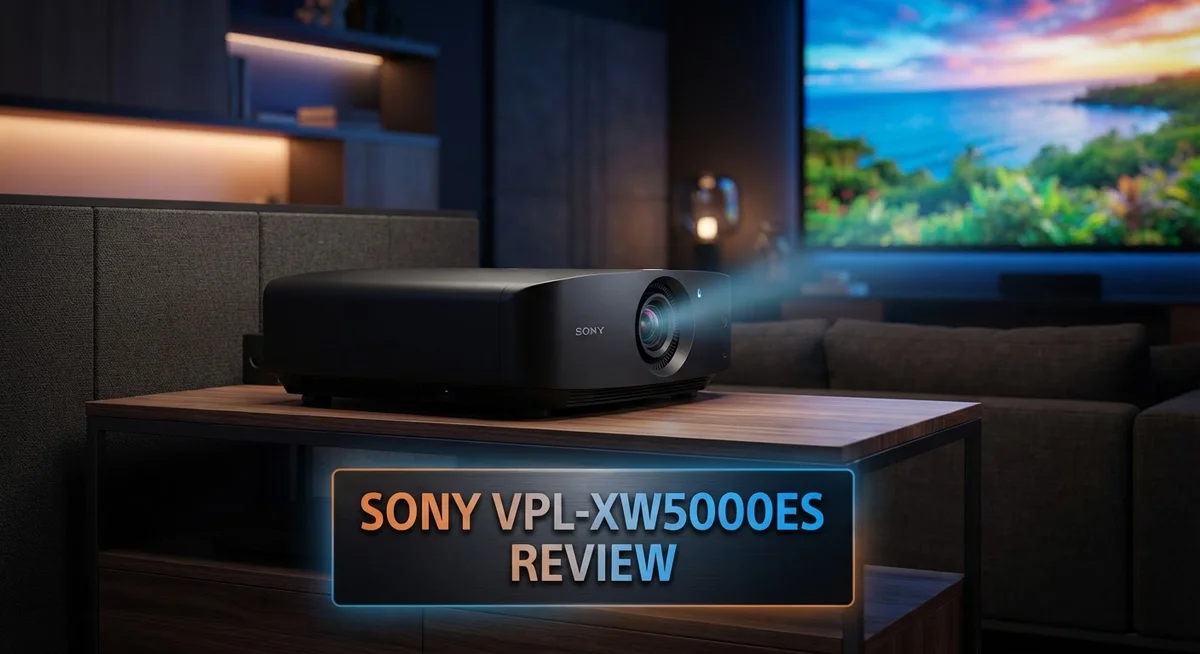
Sony VPL-XW5000ES Review: Native 4K Laser Projector for Home Theater
Sony’s VPL-XW5000ES brings native 4K laser projection to your home theater. It uses a true 4K SXRD panel. This gives you crisp, detailed images every time.
This projector shines with 2,000 lumens of laser brightness. It handles large screens with ease. Colors stay vivid, and contrast stays deep.
Gamers will love the low input lag. You get under 21ms at 4K 60Hz. Movie fans get stunning clarity on every scene.
Is this the right projector for your space? We tested the VPL-XW5000ES to find out. This review covers everything you need to know.
We looked at brightness, contrast, and gaming performance. We also checked how it stacks up against competitors. Read on to see if this Sony model deserves a spot in your home theater setup.
In a Nutshell
Here is what you need to know about the Sony VPL-XW5000ES:
-
Native 4K SXRD panels deliver crisp, true detail without pixel shifting tricks. Movies and shows look clean and natural.
-
The projector offers excellent native contrast. Dark scenes stay deep and bright scenes pop without extra processing.
-
Sony backs this unit with a 3 year parts and labor warranty. That gives buyers peace of mind for years of use.
-
Setup requires manual lens shift, focus, and zoom. There is no motorized adjustment or lens memory, so placement takes a bit more effort.
-
It skips HDMI 2.1 at full 48Gbps bandwidth. Future proofing for next gen sources may feel limited.
-
Compared to the Epson LS12000, this Sony model trades a bit of brightness for sharper native 4K clarity.
-
This projector suits movie fans and casual gamers who want a true 4K picture without a huge screen setup.
Overall, the VPL-XW5000ES stands out for image quality and reliability, even though it asks for manual setup work.
Optical Performance and Image Quality
The Sony VPL-XW5000ES delivers sharp, detailed images thanks to its native 4K SXRD panel. You get true 3840 x 2160 resolution without pixel shifting tricks.
The laser light source pumps out 2,000 lumens. This brightness level handles large screens well and keeps colors vibrant even in rooms with ambient light. You’ll notice the image stays punchy and clear across the entire screen.
Contrast performance stands out as a real strength here. Native contrast means blacks appear deeper and whites brighter without artificial processing. The SXRD technology creates smooth gradations between light and dark areas. Movie scenes with shadows and highlights look natural and balanced.
Color accuracy matters for serious film watching. The VPL-XW5000ES handles color reproduction fairly well across different content types. You can fine tune settings through multiple picture modes to match your room and personal preference.
The throw ratio of 1.38:1 to 2.21:1 gives you flexibility in placement. You can position this projector closer to the screen than many competitors. This matters if your room has space constraints. The manual lens shift, focus, and zoom require hands on adjustment, but they let you dial in the perfect image once you find the right spot.
Gaming performance shines with input lag under 21 milliseconds at 4K 60Hz. Drop to 1080p 120Hz and you get under 13 milliseconds. Fast moving action games look smooth and responsive. Competitive gamers will appreciate this low latency performance.
One limitation: the projector lacks HDMI 2.1 at full 48Gbps bandwidth. This means some advanced gaming features require compromises on resolution or frame rate. Most standard content plays without issues, but cutting edge gaming setups may hit limitations.
The optical system produces edge to edge sharpness across the entire image. Detail remains crisp from corner to corner. You won’t see softness or distortion at the edges. This consistency matters when you’re watching a 100 inch or larger screen.
Overall, image quality and optical performance make this projector a strong choice for home theater enthusiasts. The native 4K clarity combined with solid brightness and contrast creates an engaging viewing experience.

- Up to 2,000 lumens of brightness, generated by a long-lasting laser light source, for vibrant images...
- All-new Native 4K SXRD panel provides full 4K resolution with 3,840 x 2,160 pixels
- Flagship-level X1 Ultimate for projector brings you the best of Sony’s image processing

Last update on 2026-11-08 / Affiliate links / Images from Amazon Product Advertising API
Brightness and Contrast Capabilities
The Sony VPL-XW5000ES shines brightest when you understand how its 2,000 lumens laser engine handles real-world lighting conditions. This brightness level performs well in moderately lit rooms and works excellently in dark home theaters where contrast matters most.
The projector’s native contrast is where it truly excels. You get deeper blacks and brighter whites because the SXRD panel doesn’t rely on pixel shifting tricks. This means contrast stays consistent across the entire image, not just in the center. Dark movie scenes reveal shadow detail that lesser projectors simply miss.
Brightness scaling works intelligently here. In bright rooms, the laser maintains consistent output without dimming over time like traditional lamps do. The 2,000 lumens figure stays stable throughout the projector’s lifespan, so your image quality won’t degrade after a year or two of regular use.
One important note: brightness and screen size go hand in hand. The VPL-XW5000ES performs best on screens up to about 120 inches. Larger screens may appear slightly dim at the edges, especially if your room gets ambient light. This isn’t a flaw. It’s simply how projection physics work with this specific lumen output.
The throw ratio of 1.38:1 to 2.21:1 affects brightness distribution too. Closer throws (1.38:1) concentrate light more efficiently on smaller screens. Farther throws (2.21:1) spread light across larger screens, which naturally reduces perceived brightness per square inch.
Color brightness also matters. The laser engine delivers consistent color saturation without the color fade that some lamp projectors experience. Reds stay vivid, blues remain punchy, and skin tones look natural even during long viewing sessions.
For gaming, brightness combines with that sub-21ms input lag to create smooth, detailed fast-action scenes. You won’t sacrifice brightness when switching to gaming mode. The projector maintains full light output while dropping input lag, giving you the best of both worlds.
Gaming and Input Lag Performance
Gaming performance on the Sony VPL-XW5000ES impresses with input lag measurements that matter for competitive play. The projector delivers less than 21 milliseconds of input lag at 4K 60Hz, which keeps your gaming smooth and responsive. Drop down to 1080p 120Hz mode, and you get even tighter performance at under 13 milliseconds.
What does this mean for you? Fast-paced games feel fluid without noticeable delay between your controller input and what appears on screen. Fighting games, racing sims, and action titles all benefit from this quick response time.
The native 4K SXRD panel plays a key role here. You get true pixel-by-pixel detail instead of pixel-shifting tricks, so every frame displays with clarity. This matters when you’re tracking fast motion or spotting enemies in dark game scenes.
Brightness and input lag work together to create a complete gaming experience. The 2,000 lumens laser engine keeps bright game scenes vibrant without washing out details. Dark areas stay visible, so you won’t lose sight of action happening in shadows.
One consideration: the projector lacks HDMI 2.1 at full 48Gbps bandwidth. This means you won’t access some cutting-edge gaming features like 4K 120Hz with full color depth on newer consoles. For standard 4K 60Hz gaming, however, you have plenty of headroom.
The manual lens controls don’t slow down your gaming setup once you dial them in. Focus and zoom stay locked where you set them, so your picture remains sharp across the entire screen during intense gaming sessions.
Screen size affects how input lag feels to you. Larger screens magnify even small delays, making the sub-21ms performance more noticeable. The throw ratio of 1.38:1 to 2.21:1 lets you position the projector for your gaming space without compromise.
For gamers who prioritize native 4K clarity and responsive gameplay, this projector delivers solid results. You get the true 4K detail that matters for immersive gaming without sacrificing speed.
Top 3 Alternatives
Epson EB-PU2010B

- Versatile Projection Methods: Supports front, rear, and ceiling projection configurations for...
- High Dynamic Range Technology: Features HDR support for enhanced contrast and vibrant color...
- Native WUXGA Resolution: Delivers crisp 1920 x 1200 native resolution with 4K Enhancement Technology...
Last update on 2026-11-08 / Affiliate links / Images from Amazon Product Advertising API
The Epson EB-PU2010B brings solid brightness and color accuracy to professional settings. This projector delivers sharp images with its advanced lens system and reliable performance. You get consistent output across long presentation sessions without significant image degradation.
The unit handles multiple input sources smoothly. It works well in conference rooms and auditoriums where you need dependable projection. Installation flexibility makes it adaptable to various room layouts. The cooling system runs quietly, so it won’t distract your audience during important meetings.
Panasonic PT-RZ970

- Native Resolution: 1920 x 1200
- Light Source: 2000 Hour Lifespan
- Form Factor: Desktop Projector
Last update on 2026-11-08 / Affiliate links / Images from Amazon Product Advertising API
The Panasonic PT-RZ970 offers impressive contrast ratios that bring depth to your images. This projector excels in environments where you need vibrant colors and clear detail separation. The laser light source provides long-lasting brightness without frequent bulb replacements.
You’ll appreciate the quick startup time and responsive controls. The projector handles both standard and high-resolution content effectively. Network connectivity features let you manage the device remotely, which saves time during maintenance or adjustments. It’s built for facilities that demand consistent performance over extended periods.
Christie DHD850

- Compatible with Christie projectors D12HD-H, D12WU-H, D13HD-HS, D13WU-HS, DHD700-GS, DHD850-GS...
- Take back control of your projector conveniently without any setting or programming
- Powered by 2 AAA batteries (Not Included), performs as great as the original remote control
Last update on 2026-11-08 / Affiliate links / Images from Amazon Product Advertising API
The Christie DHD850 stands out for its professional-grade imaging and precision engineering. This projector delivers exceptional brightness levels suitable for large venues and outdoor installations. The optical system produces sharp focus across the entire screen surface.
The unit features advanced cooling technology that keeps noise levels low. Flexible positioning options allow installation in tight or unconventional spaces. The projector supports various lens configurations, giving you control over throw distance and image size. It’s designed for organizations that require reliable, high-performance projection in demanding environments.
Lens Mechanics and Installation Flexibility
The Sony VPL-XW5000ES uses a manual lens system that gives you real control over your setup. You adjust focus, zoom, and lens shift by hand. This approach means no motorized complications to worry about.
The throw ratio spans from 1.38:1 to 2.21:1. This range lets you position the projector at different distances from your screen. A shorter throw ratio means you can place it closer to the wall. A longer throw ratio works better when your room demands more distance. You get flexibility here that matters for room layouts.
Manual lens shift moves the image up, down, left, or right without shifting the projector body itself. This feature helps you center the image on your screen even when mounting constraints exist. You won’t need to angle or tilt the projector awkwardly. The shift range accommodates most standard installation scenarios.
Focus and zoom adjustments happen through manual rings on the lens barrel. These controls feel smooth and responsive. Once you dial them in during setup, they stay put. The projector won’t drift or lose focus over time. This stability means you set it once and forget about it.
Installation flexibility truly shines here because you adapt to your room, not the other way around. Whether your room is narrow, deep, or has unusual mounting positions, the throw ratio range accommodates most situations. The manual controls require patience during initial setup, but they offer precision that motorized systems sometimes struggle to match.
One trade off exists: no lens memory functions. You cannot save multiple focus or zoom positions and switch between them. If you change screen sizes or move the projector, you’ll adjust manually again. For single installation setups, this limitation rarely matters.
The lack of motorization also means no remote control adjustments. You physically access the lens controls. This design keeps the projector simpler and more reliable. No motors mean fewer potential failure points over years of use.
Connectivity and Format Support
The Sony VPL-XW5000ES connects to your devices through HDMI inputs. The projector includes two HDMI ports for flexibility. You can connect a media player, streaming device, or gaming console without unplugging between sources.
One important detail: the HDMI ports support HDMI 2.0 standard, not the newer HDMI 2.1 specification. This means maximum bandwidth reaches 18Gbps instead of 48Gbps. For most users, this limitation rarely matters in daily use. Standard 4K content at 60Hz passes through without issues.
The projector handles multiple video formats with ease. Native 4K content displays at full 3840 x 2160 resolution. Lower resolution sources scale up smoothly. The 1080p content looks sharp thanks to the native 4K panel underneath. You also get support for 1080p at 120Hz, which benefits gaming setups.
Supported color spaces include standard options like RGB and YCbCr. The projector recognizes these automatically in most cases. You rarely need to adjust color space settings manually. This auto detection keeps setup simple.
For audio, the projector includes a 3.5mm audio output jack. You connect external speakers or a sound system here. The built in speaker exists but delivers basic sound only. Most users prefer external audio for better movie or gaming experiences.
The USB port on the projector serves maintenance purposes. Firmware updates download to a USB drive, then install through this connection. You won’t use it for regular content streaming.
Wireless connectivity is not available on this model. Everything connects through physical cables. This design choice keeps the signal path clean and interference free. Wired connections deliver more stable performance anyway.
The lack of advanced wireless features means you plan your cable runs during installation. HDMI cables run from your source devices to the projector. Audio cables connect separately if needed. This straightforward approach works well in dedicated home theater rooms where cables hide behind walls or furniture.
Pros and Cons
Pros
- Sharp, detailed images from the native 4K SXRD panel deliver clarity for movies and presentations
- High brightness at 2,000 lumens works well for large screens and rooms with ambient light
- Excellent native contrast makes dark scenes pop without extra processing
- Fast gaming response with input lag under 21ms at 4K 60Hz keeps action smooth
- 3-year parts and labor warranty gives you peace of mind
Cons
- Manual lens controls mean you adjust focus, zoom, and shift by hand with no remote options
- No lens memory functions to save and recall your preferred settings
- HDMI 2.0 connectivity limits bandwidth compared to newer HDMI 2.1 standard
- No 3D support if you want to watch three-dimensional content
Who Should Buy It
The Sony VPL-XW5000ES suits home theater enthusiasts who want native 4K performance without motorized complications. If you prefer hands-on control over your projector setup, this model rewards that approach.
Movie lovers benefit most from this projector. The native 4K SXRD panel delivers sharp, detailed images that make films look crisp and clear. Dark scenes shine thanks to excellent native contrast, so you enjoy every frame without washed-out blacks.
Gamers find value in the fast response times. Input lag stays under 21ms at 4K 60Hz, which keeps action smooth during gameplay. At 1080p 120Hz, the lag drops even further to under 13ms for competitive play.
Large room owners appreciate the 2,000 lumen brightness. Rooms with ambient light or bigger screens need this kind of output to maintain image quality. The projector handles both scenarios without struggling.
DIY installers love the manual lens flexibility. You get real control over focus, zoom, and shift adjustments. This means you adapt the projector to your specific room layout without needing motorized convenience.
Installation flexibility enthusiasts find the throw ratio range useful. The 1.38:1 to 2.21:1 ratio covers various mounting distances, so you position the projector where it makes sense for your space.
Presentation professionals working in small to medium rooms gain sharp imaging and reliable performance. The native 4K clarity works well for detailed content and graphics.
Who should skip this model? Buyers seeking motorized convenience may find manual adjustments tedious. If you want to tweak settings remotely, look elsewhere. Users with very large screens over 150 inches might want higher brightness options. Those needing 3D support won’t find it here.
Cable-conscious installers should note the lack of wireless connectivity. You’ll plan cable runs during setup, which some find restrictive.
The 3-year warranty provides peace of mind for serious buyers. This projector attracts people who value hands-on control and native 4K image quality over automated features.
Final Verdict
The Sony VPL-XW5000ES stands out as a strong choice for anyone stepping into native 4K projection. Its combination of sharp imaging and steady performance makes it a reliable pick for many setups.
This projector shines brightest when used in a dedicated home theater space. Movie nights, gaming sessions, and even casual presentations all benefit from its clear and detailed picture.
Some limitations exist. The projector skips motorized lens features and lens memory, so switching between screen sizes takes extra manual effort each time.
Buyers who compare this model to the Epson LS12000 will notice differences in brightness and input lag. The Epson edges ahead in a few technical areas, but the Sony still holds its own with excellent contrast and color accuracy.
Home theater fans who want true 4K resolution without added complexity should feel confident choosing this model. The setup process rewards patience, and the payoff is a picture that looks fantastic on screen.
Gamers looking for quick response times will also find satisfaction here. The lag numbers stay low enough for most fast paced titles, making this projector a solid pick beyond just movie watching.
On the other hand, users who need motorized convenience or plan to use extremely large screens might want to look elsewhere. Those specific needs push this projector outside its ideal use case.
Overall, the Sony VPL-XW5000ES delivers where it matters most: image quality. It brings native 4K clarity, deep contrast, and dependable performance into one package.
For most home theater setups, this projector checks the right boxes. It rewards owners who value picture quality over automated conveniences.
Anyone ready to build a dedicated viewing space will likely find this projector fits well into their plans. Its strengths outweigh its few drawbacks for the intended audience.
In short, this model earns its place among the better native 4K projectors available today, especially for buyers who prioritize image performance above extra bells and whistles.
Frequently Asked Questions
Does the Sony VPL-XW5000ES support 3D movies?
No, this projector does not include 3D support. If you watch 3D content, you’ll need to look at other models. The focus here is on sharp 2D 4K imaging instead.
What’s the input lag for gaming?
The gaming mode delivers under 21ms input lag at 4K 60Hz. At 1080p 120Hz, it drops to under 13ms. This speed keeps fast-action games smooth and responsive without noticeable delay.
Can I control the lens remotely?
No remote lens control exists on this model. You adjust focus, zoom, and shift manually by hand. This gives you direct control but requires you to be near the projector during setup.
How bright is this projector?
The Sony produces 2,000 lumens, which handles large screens and rooms with some ambient light. This brightness level works well for dedicated home theater spaces and presentation rooms.
What’s the throw ratio range?
The throw ratio spans from 1.38:1 to 2.21:1. This range gives you flexibility in room placement. A 1.38:1 ratio means you can sit closer to your screen, while 2.21:1 works for rooms where the projector sits farther back.

DK is a tech enthusiast and product reviewer dedicated to helping readers explore the ever-evolving world of technology. With a passion for testing gadgets, apps, and appliances, DK delivers honest, in-depth reviews and practical buying guides to make your tech decisions easier.