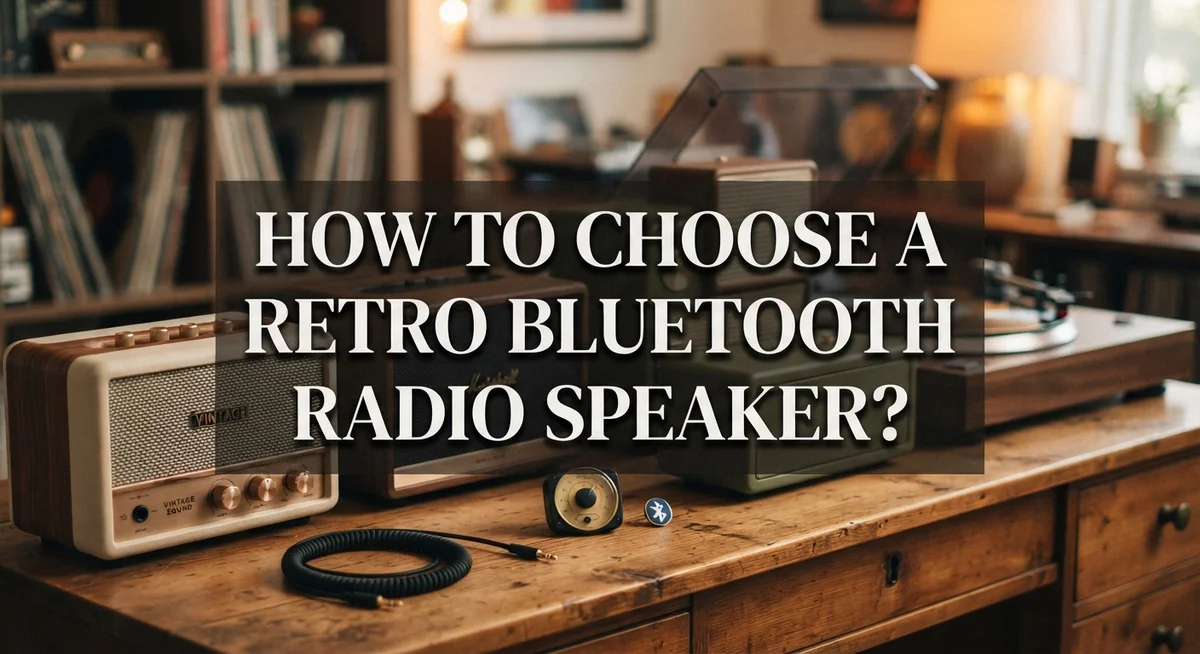
How to Choose a Retro Bluetooth Radio Speaker: Complete Selection Guide
Retro Bluetooth radio speakers bring old school charm into modern life. They mix vintage looks with wireless sound. You get a classic vibe and clear audio at the same time.
But picking the right one is not always simple. Some models look great but sound weak. Others sound amazing but lack that nostalgic style you want.
You need to think about more than just design. Sound quality, power ratings, and battery life all matter. The wrong choice can leave you with poor pairing or muffled bass.
This guide will walk you through everything you need to know. We will cover key specs like drivers and Bluetooth range. You will learn how RMS power differs from peak power.
We will also share simple setup steps to get your speaker playing fast. Plus, we will point out common mistakes buyers make so you can avoid them.
By the end, you will know exactly what to check before choosing your retro Bluetooth speaker. You will feel confident picking one that sounds great and looks even better.
In a Nutshell
Choosing a retro Bluetooth radio speaker does not have to feel confusing. Here is a quick recap to help you decide fast.
-
Check the sound specs first. Look for a 4 inch or larger driver and a bass reflex port. This combo gives you fuller sound.
-
RMS power matters more than peak power. Peak numbers look impressive but they do not show real performance. Always check the RMS rating before buying.
-
Confirm Bluetooth version and range. Bluetooth 5.0 or higher gives you stable pairing and around 30 feet of range.
-
Think about your power needs. Decide if you want a battery powered speaker or one that plugs into AC. This depends on where you plan to use it.
-
Battery life is worth checking. If you move your speaker often, look for longer battery specs. This saves you from constant charging.
-
Avoid two common traps. Do not buy ultra cheap units with weak mics. Also avoid overpaying for “vintage” branding without real quality behind it.
Keep these points in mind and picking your retro speaker becomes simple and stress free.
What Makes a Retro Bluetooth Radio Speaker Different
A retro Bluetooth radio speaker blends vintage aesthetics with modern wireless technology. This combination sets it apart from standard contemporary speakers in several important ways.
Design and appearance make the biggest difference. Retro models feature classic styling from the 1950s through 1980s. They use curved edges, wood finishes, and analog dials that modern speakers simply do not have. This nostalgic look appeals to people who want functional audio equipment that also serves as home decor.
Connectivity options distinguish retro speakers from purely vintage radios. Old radios only received AM and FM broadcasts. Modern retro versions add Bluetooth wireless connectivity alongside traditional radio tuning. This means you can stream music from your phone while keeping the classic radio interface.
Functional controls work differently too. Retro speakers often retain physical knobs and buttons instead of touch screens. You turn a dial to adjust volume or change stations. This tactile experience feels more satisfying to many users compared to digital controls.
Sound engineering reflects current standards even in retro packages. Modern retro speakers include full range drivers and bass reflex ports. These components deliver better audio quality than original vintage radios could produce. The speaker wires connect to modern amplifier circuits inside.
Power flexibility is another key distinction. Vintage radios required AC wall power exclusively. Today’s retro Bluetooth speakers offer battery options for portability. You can choose models that run on rechargeable batteries or plug in units depending on your lifestyle.
Pairing simplicity separates them from authentic antiques. Connecting via Bluetooth takes seconds on your phone. No cables or complicated setup procedures are needed.
These differences create a speaker that honors the past while functioning in the present.
Key Specifications to Understand Before You Choose
Understanding the right specifications helps you pick a retro Bluetooth radio speaker that actually sounds good and lasts. Start by looking at the driver size. A 4 inch or larger full range driver delivers better sound than smaller options.
Next, check the bass reflex port. This port helps the speaker produce deeper bass without distortion. A quality port design makes a real difference in how music sounds.
RMS power matters far more than peak power. Many sellers highlight peak power because the numbers look impressive. RMS power shows what the speaker actually delivers consistently. Compare RMS ratings between models instead.
Bluetooth version is critical for your experience. Bluetooth 5.0 or newer provides stable connections up to 30 feet away. Older versions drop signals more easily and have shorter range.
Frequency range tells you what sounds the speaker reproduces. Most retro speakers handle 20Hz to 20kHz, which covers human hearing. Check if the range matches your music style.
Power source choice depends on your lifestyle. Battery powered speakers offer portability but need regular charging. AC powered models stay in one spot but run indefinitely.
Battery life specifications matter if you move your speaker around. Look for honest battery hour ratings. Some brands list optimistic numbers, so read reviews carefully.
Impedance rating (usually 4 or 8 ohms) affects how the speaker works with your audio source. Most Bluetooth speakers use standard impedance, so this rarely becomes an issue.
Sensitivity ratings show how loud the speaker gets at a given power level. Higher sensitivity means louder output without needing more power.
Take time comparing these specs across models. Sound quality, connectivity, and reliability depend on getting these fundamentals right.
Sound Quality vs Aesthetic Design: Finding the Right Balance
Finding the right balance between sound quality and aesthetic design means understanding what matters most to you and your listening habits.
Sound quality depends on several technical factors working together. A speaker with a 4 inch or larger driver produces clearer, fuller audio. The bass reflex port handles low frequencies better than sealed designs. RMS power ratings tell you the real continuous output your speaker delivers during normal use. Check the frequency range too, since wider ranges mean you hear more detail across music genres.
Aesthetic design is what catches your eye and fits your space. Retro speakers come in wood finishes, fabric grilles, and curved bodies that evoke different decades. The control layout matters as much as the look. Physical buttons and dials that actually work add to the vintage charm and functionality.
The balance depends on your actual use. If you play background music in a bedroom, design might win. If you host gatherings or want to hear every instrument clearly, prioritize sound specs. Consider where you place the speaker too. A beautiful unit in a small bathroom needs less power than one in an open living room.
Your listening environment shapes this choice. Hard surfaces bounce sound around, so you may want a speaker with good bass control. Soft furnishings absorb sound, so you might need more power.
Test before committing if possible. Listen to music you know well through different models. Notice if vocals sound clear, if bass feels balanced, and if the design actually matches your decor. This hands on approach reveals whether a speaker truly delivers on both fronts for your specific needs.
Power Source and Battery Life Considerations
Power source selection shapes how you actually use your retro Bluetooth radio speaker. You have two main options: battery powered or AC powered models.
Battery powered speakers offer maximum flexibility. You can move them between rooms, take them outdoors, or use them anywhere without finding an outlet. This freedom comes with a tradeoff. Battery life determines how long you listen before recharging.
Check the actual battery specifications carefully. Look for mAh (milliamp hour) ratings rather than vague promises like “all day playback.” A 2000 mAh battery typically gives 6 to 8 hours of continuous use at moderate volume. Higher capacity batteries (3000 mAh and above) extend playtime to 12 hours or more.
AC powered speakers eliminate battery concerns entirely. They deliver consistent power without recharging interruptions. These models work best for stationary placement on shelves, desks, or nightstands. You trade portability for reliability and often better sound performance since AC power supplies provide stable energy.
Consider your actual usage pattern. Do you move the speaker daily? Battery power makes sense. Does it stay in one spot? AC power simplifies everything.
Hybrid options exist too. Some retro speakers accept both battery power and AC adapters. This flexibility costs more but gives you the best of both worlds.
Battery type matters as well. Lithium ion batteries charge faster and last longer than older nickel cadmium types. They also maintain consistent power output throughout the discharge cycle.
Check whether the speaker includes the charger in the package. Some models require you to purchase charging accessories separately. Factor this into your decision when comparing options.
How to Set Up and Pair Your Retro Bluetooth Speaker
Setting up your retro Bluetooth speaker is straightforward and takes just minutes. Most modern retro speakers activate Bluetooth mode through a simple power button action. Press and hold the power button until you see a light indicator flash or hear a tone. This signals the speaker is ready to pair.
Next, open your phone’s Bluetooth settings. Your speaker should appear in the available devices list. Tap on it to begin pairing. The connection completes within seconds. Some speakers require you to confirm the pairing on both devices for security purposes.
First time setup tips make the process even smoother. Charge your battery powered speaker fully before initial use. This ensures stable pairing and better performance. Keep your phone within 30 feet of the speaker during setup. Most modern Bluetooth 5.0 speakers maintain this range easily.
If pairing fails, restart both devices. Turn off the speaker completely, then power it back on. Clear your phone’s Bluetooth cache by forgetting the device and trying again. This solves most connection issues quickly.
For DIY enthusiasts, converting an actual vintage radio involves more steps. You’ll need to disassemble the unit carefully. Locate the existing speaker wires inside. Connect an audio amplifier to these wires while preserving the original speaker. Reassemble everything, ensuring all connections stay secure.
Test your audio immediately after setup. Play music from your phone to verify sound quality. Adjust volume on both your phone and speaker for best results. Many people forget to unmute their device, so check this first if you hear nothing.
Once paired successfully, your speaker remembers your phone. Future connections happen automatically when you power on the speaker nearby.
Converting a Vintage Radio into a Bluetooth Speaker
Converting a vintage radio into a Bluetooth speaker is a practical project for DIY enthusiasts. This approach lets you keep the original aesthetic while adding modern connectivity.
Start by disassembling your vintage radio carefully. Remove the back panel and take photos of the internal layout. This helps you remember how everything connects later. Locate the existing speaker wires inside the unit. These wires carry audio signals to your original speaker.
Next, you need an audio amplifier module. This small circuit board receives Bluetooth signals and amplifies them for your speaker. Connect the amplifier’s input wires to your phone’s audio source or a Bluetooth receiver module. Then attach the amplifier’s output wires to your existing speaker terminals.
The speaker itself stays in place. You’re not replacing it. The vintage speaker often sounds better than new cheap alternatives. This is why converting works well. Your original speaker already has character and proven durability.
Mount the amplifier and any new components inside the radio cabinet. Use small brackets or foam padding to keep everything secure. Ensure wires don’t touch metal parts that could cause shorts. Test all connections before reassembling.
Reassemble the radio carefully. Make sure the back panel fits properly. Check that all original controls still function if you want them to work.
Power source matters here. You can use batteries, USB power, or connect to an AC adapter. Battery powered conversions offer portability. AC powered options eliminate charging concerns.
Test your converted speaker immediately. Play music from your phone via Bluetooth. Adjust volume and check sound quality. If something sounds wrong, open it back up and verify your wire connections.
This DIY approach preserves your radio’s vintage look while giving it modern functionality.
Common Mistakes to Avoid When Selecting a Unit
Choosing a retro Bluetooth radio speaker means avoiding several common pitfalls that can waste your money or leave you frustrated. Understanding these mistakes helps you make a smarter purchase.
Peak power versus RMS power is the first trap. Manufacturers often advertise peak power numbers because they sound impressive. However, RMS power tells you the actual continuous output your speaker delivers. Always check the RMS rating instead. A speaker with 10W RMS performs better than one claiming 50W peak power.
Ultra cheap units under certain price points often disappoint. These budget models frequently suffer from poor microphone quality, unstable Bluetooth pairing, and weak audio output. You’ll spend more time troubleshooting than listening.
On the opposite end, overpaying for premium “vintage” branded models can drain your wallet unnecessarily. Some sellers charge inflated prices simply because the unit looks retro. The price doesn’t always reflect actual sound quality or features.
Ignoring frequency range compatibility creates another common problem. Check whether the speaker handles your preferred audio range. Some retro designs sacrifice modern frequency response for aesthetics alone.
Power source requirements often get overlooked until after purchase. Battery powered units need regular charging, while AC powered speakers require outlet access. Think about where you’ll actually use your speaker before buying.
Finally, don’t skip checking real specifications. Read the actual battery life claims, driver size, Bluetooth version, and connectivity range. Vague marketing language hides weak specs.
Take time to compare genuine specifications across multiple units. Your research now prevents buyer’s remorse later. Focus on what matters for your specific listening needs rather than trendy features you won’t use.
Troubleshooting Pairing and Performance Issues
When your retro Bluetooth speaker won’t pair or sounds poor, a few simple checks solve most issues. Start by restarting both your phone and speaker. Power off completely, wait 10 seconds, then power back on. This clears temporary connection glitches that block pairing.
Next, check your speaker’s Bluetooth mode. Press and hold the power button until you see a light indicator change color or hear a tone. Your speaker needs to be in pairing mode before your phone can find it. This usually lasts about 2 minutes, so work quickly.
Clear your phone’s existing connection if the speaker paired before. Go to Bluetooth settings and “forget” the device. Then scan for it again as if pairing for the first time. Old connection data sometimes causes conflicts.
Distance matters more than people realize. Move your phone within 10 feet of the speaker. Walls, metal objects, and other electronics can weaken the signal. Try pairing in a clear, open space first.
For sound quality problems, check your phone’s volume level separately from the speaker’s volume. Both need adjustment for proper audio. Also verify your audio source is actually playing through Bluetooth and not your phone’s speaker.
If pairing still fails after these steps, check that your speaker’s firmware is current. Some units need updates through their companion app or USB connection. Poor battery life in your speaker also causes connection drops, so ensure it’s fully charged before troubleshooting.
These practical fixes resolve about 90 percent of pairing and performance problems without needing professional help.
Final Thoughts
Choosing a retro Bluetooth radio speaker comes down to knowing what you actually need. Sound quality matters, but so does the vintage look you love. Finding the right balance makes all the difference.
Always check RMS power ratings, not peak power numbers. This single tip saves you from disappointment later. RMS power tells you the real story about performance.
Battery life deserves your attention too. Think about how you plan to use your speaker daily. A unit with great battery life fits outdoor use better than one built for stationary indoor listening.
Power source is another key factor. Decide if you want battery operation, AC power, or both options together. Your lifestyle should guide this choice completely.
Frequency range compatibility affects how music actually sounds through your speaker. Skipping this check often leads to regret. Take a few extra minutes to verify these specs before buying.
Avoid the common trap of judging speakers by price alone. Extremely cheap units often have weak microphones and unstable connections. Overpriced vintage models don’t always deliver better performance either.
Your actual usage needs should drive every decision you make. Think about where you’ll use the speaker most. Consider who else might use it and how often.
Every feature should serve a real purpose in your daily life. Don’t pay for capabilities you’ll never use. Focus on what genuinely matters for your situation.
A retro Bluetooth radio speaker blends nostalgia with modern convenience beautifully. Taking time to research pays off in long term satisfaction. Your perfect match exists once you know what to look for.
Frequently Asked Questions
How long does it take to set up a retro Bluetooth speaker?
Setup happens fast. Press and hold the power button until Bluetooth mode activates. This takes about 5 to 10 seconds. Then open your phone’s Bluetooth settings and scan for available devices. Your speaker appears in the list within seconds. Tap it to pair. The entire process finishes in under one minute for first time setup.
Can I convert an old radio into a Bluetooth speaker myself?
Yes, DIY conversion is possible if you have basic skills. Disassemble your vintage radio carefully. Locate the speaker wires inside. Connect an audio amplifier to those wires. Pair the amplifier to your phone via Bluetooth. Reassemble everything and test the sound. This approach keeps the original look while adding modern functionality.
What’s the difference between RMS power and peak power?
RMS power shows what your speaker actually delivers continuously. Peak power shows the maximum burst it can handle briefly. RMS is the real number that matters for sound quality. A speaker with 10 watts RMS performs better than one claiming 50 watts peak. Always compare RMS ratings when choosing between units.
Does battery life matter for a retro Bluetooth speaker?
Battery life depends on your usage. If you play music for hours daily, longer battery life saves frustration. Check the specifications before buying. Some units run 8 to 12 hours per charge. Others last only 3 to 4 hours. Match the battery life to how you actually use the speaker.
What power source works best for my needs?
Battery powered speakers offer portability. AC powered models need a wall outlet but never run out of charge. Consider where you’ll use it most. A bedroom or office suits AC power. A patio or outdoor space needs battery power. Your lifestyle determines which option makes sense.

DK is a tech enthusiast and product reviewer dedicated to helping readers explore the ever-evolving world of technology. With a passion for testing gadgets, apps, and appliances, DK delivers honest, in-depth reviews and practical buying guides to make your tech decisions easier.