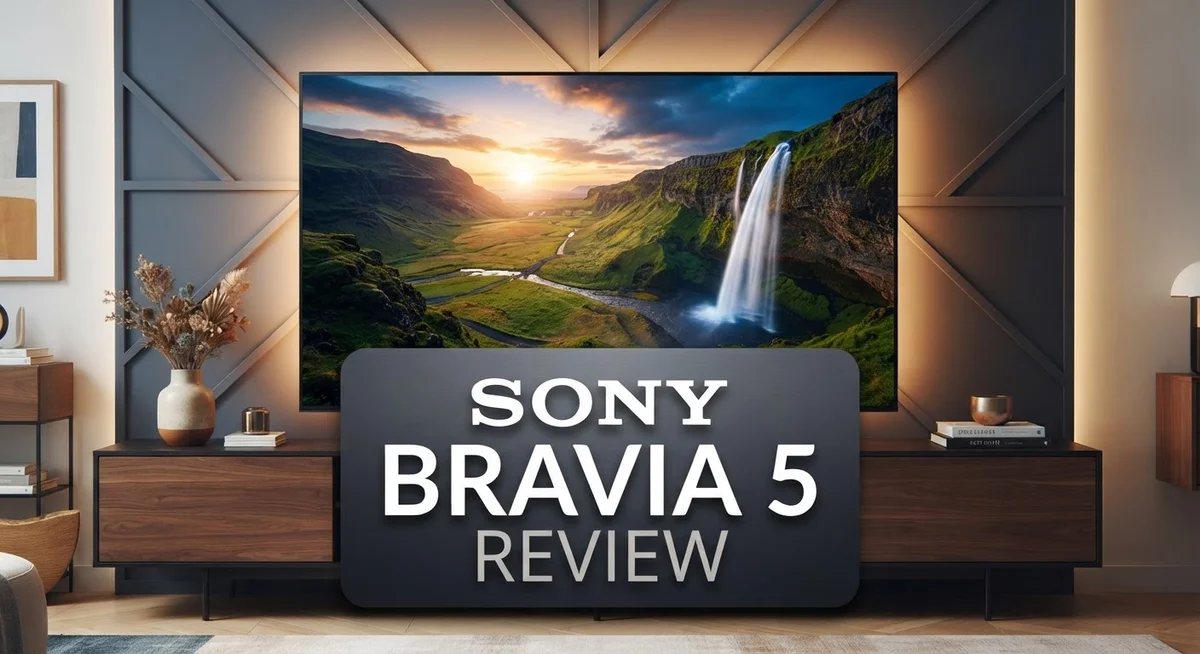
Sony BRAVIA 5 Review: 4K Mini LED TV with XR Processor
Looking for a TV that brings movies and shows to life? The Sony BRAVIA 5 might be your answer.
This TV uses 4K HDR Mini LED technology. It also has the smart XR Processor with Backlight Master Drive.
Thousands of precisely controlled Mini LEDs work together here. They team up with blue and green LEDs for a wider color gamut.
The result? Vibrant, lifelike colors fill your screen. Even old, low-resolution shows look sharp and clear.
This TV shines with strong brightness and contrast control. It handles image processing like a pro.
But no TV is perfect. The BRAVIA 5 struggles with glare in bright rooms. Gamers might notice slower pixel transitions too.
Curious if this Sony model fits your home? Let’s explore what makes the BRAVIA 5 worth considering.
In a Nutshell
Here is a quick summary of what this TV offers:
-
The XR Processor powers this TV. It uses XR Backlight Master Drive technology to sharpen contrast across every scene.
-
Blue and green LEDs expand the color gamut. This gives you richer tones beyond standard displays.
-
Low resolution content gets a boost too. The upscaling on this TV turns older shows into crisp, clear pictures.
-
You get the Google TV platform built in. This means smooth access to your favorite streaming apps.
-
This model comes in 55 inch and 65 inch sizes. Rear speakers are included for fuller sound.
-
Bright rooms can cause glare on the screen. Direct light may reduce picture quality in some spaces.
-
Gamers should note one thing. Slow pixel transitions in Game Mode might affect fast paced play.
This TV stands next to the Sony BRAVIA 7, BRAVIA 9, and BRAVIA 8 MII. Each model offers its own strengths, but the BRAVIA 5 holds its own with sharp image processing and vivid color output.
Display Technology and Picture Quality
The Sony BRAVIA 5 delivers impressive picture quality through its advanced Mini LED display system. This technology uses thousands of individual LED zones that work independently to control brightness across different parts of your screen. The result is precise contrast management that makes dark scenes feel truly dark while bright scenes pop with energy.
What sets this TV apart is the XR Processor. This chip handles all the heavy lifting behind the scenes. It analyzes every frame and enhances colors, contrast, and sharpness in real time. You’ll notice this especially when watching older movies or lower resolution content. The upscaling technology transforms standard definition material into something that looks closer to 4K quality.
The color performance here is exceptional. Sony added blue and green LEDs alongside traditional red ones. This expanded color gamut means you see more shades and hues that standard TVs simply can’t display. Reds feel richer. Greens appear more natural. Blues have greater depth.
The XR Backlight Master Drive works with the Mini LEDs to create stunning brightness levels. This TV handles bright scenes without washing out details. Shadows retain their nuance even in well lit rooms.
However, there’s one important consideration. Bright rooms present a challenge. If your viewing space gets direct sunlight or has lots of ambient light, you’ll notice reflections on the screen. The glossy finish reflects light rather than absorbing it. This can reduce your viewing experience during daytime hours.
Gamers should be aware of one limitation. When Game Mode is active, pixel transitions slow down slightly. This means fast moving action scenes might not feel quite as smooth as on some competing models.
The BRAVIA 5 excels at delivering vibrant, lifelike images in controlled lighting environments. The Mini LED technology combined with Sony’s image processing creates a viewing experience that brings movies and shows to life. Just keep your room lighting in mind when deciding if this TV matches your space.

- MINI LED BRIGHTNESS AND CONTRAST: Thousands of Mini LEDs are precisely controlled by XR Backlight...
- BILLIONS OF REAL-WORLD COLORS: Access billions of accurate real-world colors with XR Triluminos Pro.
- POWERFUL TV PROCESSING WITH AI: XR Processor with AI technology intelligently enhances every scene...

Last update on 2026-10-03 / Affiliate links / Images from Amazon Product Advertising API
Design and Build Quality
The Sony BRAVIA 5 features a sleek, modern design that fits seamlessly into any living room. The TV itself is thin and lightweight, making wall mounting straightforward. The bezels around the screen stay minimal, so your focus stays on the display.
The build quality feels solid throughout. Sony used premium materials for the frame and stand. The stand provides stable support without wobbling, even on smaller TV tables. You can easily adjust the viewing angle if needed.
The rear design includes built in speakers. These speakers are positioned to project sound forward into your room. Cable management is simple with clearly marked ports on the back. The connections include HDMI inputs, USB ports, and an optical audio output for flexibility.
The physical construction handles heat well. The TV runs cool during extended viewing sessions. Ventilation slots are positioned to prevent overheating. This design choice helps extend the TV’s lifespan significantly.
One practical feature is the remote placement. The included remote feels comfortable in your hand. Button layout follows logical patterns. Finding controls is intuitive, even in dim lighting.
The TV’s weight varies between the 55 inch and 65 inch models. Both sizes remain manageable for installation. Wall mounting hardware is straightforward to install. The VESA compatibility makes finding compatible mounts easy.
The bottom bezel houses the power button and indicator light. These elements are subtle and don’t distract from viewing. The overall aesthetic maintains a premium appearance without unnecessary embellishments.
One consideration for bright rooms involves the screen surface. The display panel reflects light more noticeably in direct sunlight. Window placement near your TV setup matters here. Rooms with controlled lighting will showcase the design’s full potential.
The cable inputs are well organized and clearly labeled. This design prevents confusion during setup. The overall layout makes maintenance and updates hassle free. The BRAVIA 5 balances form and function effectively. Its construction prioritizes both durability and visual appeal. The thoughtful design choices make this TV a solid addition to any entertainment space.
Performance and Processing Power
The XR Processor is the engine driving the BRAVIA 5’s performance. This processor handles all the heavy lifting behind the scenes. It analyzes every frame and optimizes colors, contrast, and brightness in real time.
What makes this processor special? It works with the XR Backlight Master Drive to control thousands of Mini LEDs individually. Each LED gets adjusted based on what’s happening on screen. The result is precise light distribution across your display.
The Mini LED system itself deserves attention. These tiny backlights sit behind the panel and create zones of light. When a dark scene plays, those zones dim down. When bright scenes appear, they ramp up instantly. This gives you deeper blacks and brighter highlights at the same time.
The blue and green LEDs add another layer of sophistication. Traditional Mini LED displays use only white backlights. Sony added these extra colors to expand the color gamut significantly. You see more shades and more accurate colors overall.
Upscaling is where the BRAVIA 5 really shines. Lower resolution content gets processed by the XR Processor. It analyzes the image and fills in missing details intelligently. Your streaming shows and older movies look sharper than they should. This is a major advantage if you watch a lot of standard definition content.
One important limitation exists for gaming enthusiasts. The pixel response time in Game Mode runs slower than expected. Fast action sequences can show some trailing. Competitive gamers might notice this during intense moments. However, casual gaming remains enjoyable.
Brightness and contrast control is exceptional here. The TV handles both dark and bright scenes with confidence. You get strong peak brightness levels that shine through even in moderately lit rooms. The contrast stays punchy without looking artificial.
The processing power also supports various picture enhancement modes. You can adjust settings based on your content type. Movies, sports, and games each get their own optimization profiles. This flexibility means you get the best image for whatever you’re watching.
Top 3 Alternatives
LG OLED TV

- 4K OLED EVO PICTURE QUALITY – Experience detailed 4K Ultra HD visuals with OLED evo technology...
- DOLBY VISION & HDR10 – Enjoy enhanced picture detail, contrast, and color with Dolby Vision and...
- 144HZ GAMING PERFORMANCE – Designed for responsive entertainment and compatible gaming setups, the...
Last update on 2026-11-08 / Affiliate links / Images from Amazon Product Advertising API
LG OLED TVs offer exceptional picture quality with perfect blacks and vibrant colors. Each pixel produces its own light, so you get true darkness without backlighting. The viewing angles are fantastic—you can watch from the side and still see great colors.
These TVs respond fast to motion, making them perfect for sports and gaming. The brightness has improved in newer models, so you won’t struggle with glare in bright rooms. LG’s webOS interface is smooth and easy to navigate, with quick access to your favorite apps.
One thing to consider: OLED screens can develop burn-in over time if you display the same image for hours. However, LG includes protection features to minimize this risk.
Samsung QN90D

- QUANTUM MATRIX w/ MINI LEDs: Catch every detail in dark to bright scenes; Precise lighting from Mini...
- NEO QUANTUM HDR+: See sensational contrast, stellar brightness & vivid color—just as the director...
- DOLBY ATMOS & OBJECT TRACKING SOUND+: Put yourself in the middle of the action with built-in Dolby...
Last update on 2026-11-08 / Affiliate links / Images from Amazon Product Advertising API
The Samsung QN90D uses quantum dot technology for bright, punchy colors that pop on screen. It handles bright rooms well because of its high peak brightness. The LED backlighting system works efficiently to control contrast in different areas.
Gaming performance is solid with low input lag and smooth motion handling. The refresh rate supports 120Hz for fast-action content. Samsung’s Tizen interface loads apps quickly and responds to your commands without lag.
The QN90D doesn’t match OLED’s perfect blacks, but it offers better brightness for well-lit spaces. It’s a reliable choice for people who want great performance without worrying about burn-in.
TCL QM8 Mini-LED

- SQD-Mini LED: As the ultimate Mini LED TV, it integrates the expansive TCL Deep Color System with...
- TCL Ultra Color Filter: TCL’s Ultra Color Filter with fine 5 nanometer particles (vs. standard...
- Wide Viewing Angles: Enjoy vibrant colors and perfect contrast, no matter where you sit, thanks to...
Last update on 2026-11-08 / Affiliate links / Images from Amazon Product Advertising API
The TCL QM8 uses mini-LED backlighting with thousands of tiny zones for better contrast control. You get near-OLED black levels at a more accessible price point. The brightness is excellent, making it ideal for sunny rooms.
Gaming and sports look sharp with responsive performance and smooth motion. The picture processing reduces blur effectively. TCL’s interface is straightforward, though it doesn’t have as many premium features as LG or Samsung.
This model balances performance and value nicely for budget-conscious buyers.
Smart TV Features and Google TV Integration
Google TV brings a world of streaming apps and content right to your fingertips. The Sony BRAVIA 5 runs this platform smoothly. You get instant access to Netflix, YouTube, Disney+, and hundreds of other services without extra devices.
The interface feels intuitive and responsive. Searching for content happens fast. Voice commands work well through the remote’s built-in microphone. You can ask the TV to find shows, adjust volume, or control smart home devices.
One standout feature is the personalized recommendations system. Google TV learns what you watch and suggests similar content. This saves time when you’re browsing for something new. The home screen organizes your favorite apps at the top for quick access.
Casting from your phone works seamlessly. You can send photos, videos, or music to the TV instantly. Android devices connect without hassle. iPhone users can also cast compatible content through AirPlay.
The TV supports 4K streaming from major apps. Netflix, Amazon Prime Video, and Disney+ all deliver high quality content on this display. The XR Processor enhances lower resolution streams too. Older shows and movies look sharper than they would on other TVs.
Smart home integration is built in. You can control lights, thermostats, and security cameras through Google TV. The system works with popular brands like Philips Hue and Nest. No additional hubs are needed for basic control.
Performance remains consistent during heavy use. Multiple apps run without lag or freezing. The TV handles app updates automatically in the background.
One thing to note: some apps load slightly slower on the BRAVIA 5 compared to newer flagship models. This doesn’t disrupt normal viewing though. Streaming quality stays stable even when multiple devices use your home network.
The Google TV experience here strikes a good balance. You get the full streaming ecosystem without unnecessary complexity. Everything works as expected for daily entertainment needs.
Audio and Speaker System
The Sony BRAVIA 5 delivers audio through a thoughtfully integrated speaker system. Rear speakers come included with the TV, giving you a foundation for immersive sound right out of the box.
The audio quality focuses on clarity and balance. Dialogue comes through crisp and easy to understand. Music and effects maintain good separation across the frequency range. You won’t experience muddy or compressed sound during everyday viewing.
The speaker placement matters for your listening experience. The rear speakers add depth to the soundstage. This setup works best when you position them at ear level or slightly above. You’ll notice a noticeable difference in how sound surrounds you compared to front-only speakers.
For streaming content, the audio performs well. Netflix shows, YouTube videos, and sports broadcasts all sound natural. The system handles dynamic content without distortion at higher volumes.
One thing to consider: the speakers work best in medium to large rooms. Smaller spaces might experience sound bouncing off walls more noticeably. You can adjust audio settings through the Google TV menu to fine tune the output.
Dolby Atmos support is included on this model. This means compatible content plays with enhanced spatial audio. Movies and shows with Atmos mixing gain an extra dimension of sound quality.
If you watch a lot of action movies or play games, you’ll appreciate the dynamic range. Explosions and quiet moments both come through with appropriate impact. The audio doesn’t feel thin or lacking in power.
For those wanting more sound, the TV includes audio output options. You can connect external speakers or a soundbar if you prefer. Bluetooth connectivity allows wireless speaker pairing.
The audio system strikes a practical balance. It sounds good for casual viewing without requiring additional equipment. At the same time, it leaves room for upgrades if you want a more elaborate setup later.
Overall, the BRAVIA 5’s audio delivers solid performance. The included rear speakers provide genuine value. You get a complete package that handles most viewing situations well.
Pros and Cons
Pros
- Mini LED technology delivers vibrant, lifelike colors with precise brightness control across thousands of individual zones
- Exceptional upscaling transforms low resolution content into sharp, detailed images
- XR Processor handles complex picture enhancement modes without lag or stuttering
- Rear speakers create immersive sound with Dolby Atmos support for dynamic action scenes
- Google TV platform offers seamless casting, personalized recommendations, and 4K streaming from major apps
Cons
- Heavy glare and reflections make this TV struggle in bright rooms with direct sunlight
- Pixel response time in Game Mode runs slower than competing gaming focused models
- Some apps load noticeably slower compared to newer flagship Sony TVs
Who Should Buy It
The Sony BRAVIA 5 works best for specific viewer types who want strong picture quality without needing the absolute premium features of higher-end models.
Movie enthusiasts will appreciate this TV. The Mini LED display creates vibrant colors and precise brightness control. The upscaling engine transforms lower-resolution content into sharp, detailed images. If you watch streaming films or older DVDs, you’ll notice the difference immediately.
Gaming fans should consider carefully. The BRAVIA 5 offers decent gaming features, but pixel response times in Game Mode run slower than dedicated gaming TVs. You’ll still enjoy most games, yet competitive gamers might feel the lag. The TV works fine for casual gaming and story-driven titles.
Content creators and photo enthusiasts find value here. The color accuracy and expanded gamut from blue and green LEDs make this TV suitable for color-critical work. You can preview your projects with confidence on this display.
Families in medium to large rooms benefit most. The rear speakers create immersive sound for group viewing. Dolby Atmos support adds depth to action movies and shows. Multiple users can enjoy personalized recommendations through Google TV.
Avoid this model if you have a bright room. Heavy glare and reflections become problematic with direct sunlight. If your living space gets lots of natural light, look elsewhere. The BRAVIA 5 performs best in controlled lighting conditions.
Those seeking a straightforward TV experience appreciate the Google TV platform. The interface feels intuitive. Casting from phones works smoothly. You get 4K streaming from major apps without frustration.
The 55″ and 65″ sizes fit most living rooms well. Smaller spaces work with the 55″. Larger rooms benefit from the 65″ screen.
Budget-conscious buyers who prioritize picture quality over premium gaming or ultra-bright room performance find good value here. You get serious picture processing and color accuracy without paying for flagship features you won’t use.
The BRAVIA 5 suits people who watch lots of movies, enjoy streaming content, and want reliable performance in normal lighting conditions.
Final Verdict
The Sony BRAVIA 5 stands out as a smart choice for many households. It brings sharp picture quality and smooth performance together in one package. This TV suits viewers who want dependable results without extra fuss.
If you compare it to the Sony BRAVIA 7, the BRAVIA 5 holds its own in everyday viewing. The BRAVIA 9 offers more advanced features, but the BRAVIA 5 covers the basics well. The BRAVIA 8 MII sits closer in performance, though each model serves different needs.
This TV shines brightest in rooms with controlled lighting. Dark scenes, action sequences, and streaming content all look great on this display. The technology inside works hard to keep visuals consistent across different content types.
Setup feels simple thanks to the Google TV interface. You won’t need to dig through confusing menus or settings. Everything stays intuitive from the first time you turn it on.
We think this TV earns its spot among solid mid tier options. It doesn’t try to be everything for everyone. Instead, it focuses on doing core tasks exceptionally well.
Picture quality remains the standout feature here. The processing power behind the scenes makes older content look fresh again. That alone makes this TV worth serious consideration.
Sound performance adds another layer of value. You get a complete entertainment experience without needing separate speakers right away.
Who should buy this TV? Anyone wanting reliable performance in a well lit but not overly bright space. Gamers who prioritize visuals over lightning fast response times will also find plenty to like.
Who should skip it? If your room gets flooded with sunlight throughout the day, this might not be your best match. Competitive gamers chasing every millisecond advantage may want to explore other models too.
Overall, the Sony BRAVIA 5 delivers a well rounded package. It handles most situations with confidence and consistency.
Frequently Asked Questions
Does the Sony BRAVIA 5 work well for gaming?
The BRAVIA 5 handles most games smoothly thanks to its XR Processor and Google TV platform. However, pixel response times move slower in Game Mode compared to gaming focused TVs. If you play fast action games like shooters or racing titles, you might notice slight lag. For casual gaming and story driven games, this TV performs just fine.
Can I use the Sony BRAVIA 5 in a bright room?
This is where the BRAVIA 5 struggles. Heavy glare and reflections become problematic when direct sunlight hits the screen. The Mini LED display produces great contrast, but bright rooms reduce picture quality noticeably. If your living room gets lots of natural light, consider a different model or use blackout curtains during daytime viewing.
What streaming apps does the Sony BRAVIA 5 support?
The Google TV platform gives you access to all major streaming services. You get Netflix, Disney Plus, Amazon Prime Video, YouTube, and many others built in. The interface feels intuitive and learns your preferences over time. Casting from your phone works smoothly as well.
How do the speakers sound on this TV?
The rear speakers deliver solid audio with Dolby Atmos support. You hear clear dialogue and immersive sound during action scenes. For serious movie fans or music lovers, adding a soundbar still makes sense. The speakers work well for everyday TV watching without extra equipment.
Is the Sony BRAVIA 5 easy to set up?
Yes. The Google TV interface guides you through setup quickly. You connect to WiFi, sign into your accounts, and start streaming within minutes. The remote feels comfortable to hold and responds fast to commands.

DK is a tech enthusiast and product reviewer dedicated to helping readers explore the ever-evolving world of technology. With a passion for testing gadgets, apps, and appliances, DK delivers honest, in-depth reviews and practical buying guides to make your tech decisions easier.