
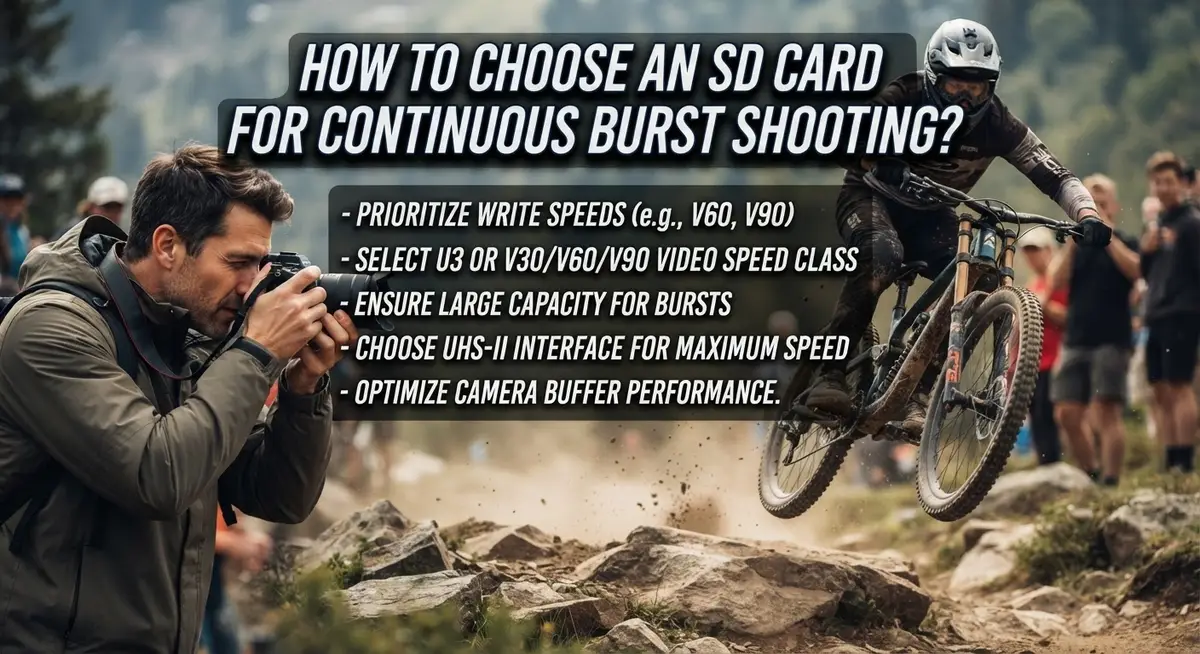
How to Choose an SD Card for Continuous Burst Shooting?
Capturing a fast moving subject feels amazing, until your camera slows down mid burst. That annoying pause happens when your SD card cannot keep up with your camera’s speed.
Many photographers blame their camera for slow shooting. But often, the real problem is the memory card inside it.
Burst shooting creates huge amounts of data in seconds. Your SD card needs to write this data fast, or your camera will freeze and wait.
This guide will help you understand what makes a card fast enough for burst shooting. We will explain write speed, speed classes, and why they matter so much.
You will learn the difference between V60 and V90 cards. We will also cover common mistakes people make when buying cards for action shots.
By the end of this article, you will know exactly what specs to look for. You will be able to pick a card that clears your buffer quickly and keeps up with every shot.
Let’s get your camera ready for nonstop shooting.
In a Nutshell
Here’s a quick recap to keep in mind before you buy your next card.
-
Write speed matters most. Your card must write data as fast as your camera captures it. A slow card creates a bottleneck, no matter how good your camera is.
-
V90 cards handle RAW bursts best. They offer the fastest sustained write speeds. Choose this if you shoot RAW photos or high resolution video often.
-
V60 cards work well for lighter loads. They cost less than V90 cards. They still perform well for JPEG bursts or shorter shooting sessions.
-
U3 is your minimum standard. The SD Card Association recommends this as a baseline. Anything slower will struggle with burst shooting.
-
Peak speed is not the full story. Many cards advertise high peak speeds but drop during sustained writing. Always check sustained performance ratings before deciding.
-
Match the card to your camera. Check your camera manual for its exact speed requirements. This helps you avoid overspending or underperforming.
Understanding Burst Shooting and Why Card Speed Matters
Burst shooting puts extreme pressure on your SD card. When you hold down the shutter button, your camera captures multiple images per second. Each image becomes data that flows onto the card instantly.
Your card’s speed determines how long you can shoot before your camera stops. A slow card fills up quickly. Your camera then pauses to clear its internal buffer. Fast cards keep the data moving smoothly, so your camera never stops.
Write speed is the critical number. This measures how fast data flows onto the card, measured in megabytes per second. Your camera specifications tell you the exact write speed you need. Match your card’s write speed to this requirement. If your camera needs 200 MB/s sustained writing, a card rated for 90 MB/s will disappoint you.
Speed Class ratings help you compare cards quickly. V90 cards handle the fastest burst shooting. They maintain consistent write speeds even during long shooting sessions. V60 cards work well for moderate burst demands. They cost less while still performing reliably for most situations.
UHS Speed Class 3, or U3, represents the minimum standard. The SD Card Association established this baseline for all serious photographers. Cards below U3 lack the sustained performance needed for continuous shooting.
Peak speed numbers can mislead you. A card might advertise 300 MB/s peak speed, but this only happens briefly. After a few seconds, the speed drops significantly. Sustained write speed matters more than peak speed. Check the specifications carefully. Look for the sustained or continuous write speed rating, not just the maximum speed.
Your camera manual lists the exact requirements. Some cameras need V90 cards for RAW bursts. Others perform fine with V60 cards for JPEG shooting. Matching your card to your camera’s actual needs prevents frustration and keeps your shooting flowing smoothly.
Decoding SD Card Speed Classes: V90, V60, and U3 Explained
Speed class ratings act as a universal language for SD cards. They tell you exactly how fast a card can write data, which directly impacts your burst shooting performance. Understanding these ratings prevents you from buying a card that looks fast but actually slows you down mid session.
V90 cards represent the fastest tier available. The “V” stands for Video Speed Class, and the “90” means the card maintains a minimum sustained write speed of 90 megabytes per second. This consistent performance matters most for burst shooting. Your camera can dump data continuously without waiting for the card to catch up. V90 cards excel when you shoot RAW files or long bursts of compressed images.
V60 cards offer a middle ground. They guarantee 60 megabytes per second sustained write speed. For many photographers, V60 performs admirably. If you shoot compressed JPEG bursts or moderate RAW sequences, V60 delivers reliable results. The cost difference between V60 and V90 can be significant, making V60 attractive for budget conscious shooters.
U3 refers to UHS Speed Class 3. The SD Card Association established this as the baseline minimum. U3 guarantees only 30 megabytes per second, which works for casual shooting but may disappoint serious burst photographers. Think of U3 as acceptable, not ideal.
The key difference lies in sustained performance. A card might advertise 300 megabytes per second peak speed, but that number only applies briefly. Once your camera’s buffer fills, write speed matters. V90 maintains high speed throughout your entire burst sequence. V60 stays consistent at 60 megabytes per second. This sustained consistency prevents your camera from pausing mid burst.
Match the rating to your needs. Check your camera manual for its specific write speed requirements. Compare that number against the card’s speed class. If your camera needs 90 megabytes per second, buy V90. If it needs 60, V60 suffices. This simple matching process ensures your card keeps pace with your camera’s capabilities.
How Write Speed Affects Buffer Clearing and Burst Length
Your camera’s buffer works like a holding tank. Data flows from the sensor into this temporary storage while the card writes that data to permanent memory. When your buffer fills up, burst shooting stops until the card catches up.
Write speed directly controls how fast your buffer empties. A card with slow write speed clears the buffer slowly. Your camera stops shooting sooner. A card with fast write speed clears the buffer quickly. You keep shooting longer.
Think of it this way: your camera captures images at a fixed rate. The card must write those images at the same rate or faster. If the card writes slower than the camera captures, the buffer fills. Once full, the camera locks up and stops taking pictures.
V90 cards sustain write speeds of at least 90 MB per second. This speed keeps the buffer moving even during long RAW bursts. V60 cards maintain at least 60 MB per second. They work well for compressed formats and shorter bursts. U3 cards guarantee only 30 MB per second minimum. This may not be enough for demanding burst work.
The difference matters in real shooting. With a V90 card, you might capture 50 RAW images continuously. With a V60 card, you might get 30 images before the buffer fills. With a U3 card, you could stop after just 15 images.
Your camera manual specifies its exact write speed needs. Check this number first. Then match it to a card’s sustained write speed rating, not peak speed. Peak speed is what happens in ideal conditions for a few seconds. Sustained speed is what actually happens during your burst shooting session.
Sustained performance determines real world burst length. This is why write speed matters more than any other single spec.
Matching Card Specs to Your Camera’s Capabilities
Your camera has specific speed requirements built into its design. Check your camera manual first to find the exact write speed it needs. This number is measured in megabytes per second (MB/s). It tells you the minimum performance your card must deliver.
Different cameras demand different speeds. A professional mirrorless camera shooting RAW bursts needs faster cards than a compact camera shooting JPEGs. Your manual lists this requirement clearly. Don’t guess or assume. The manual is your truth source.
Match your card’s speed class to your camera’s needs. V90 cards sustain 90 MB/s write speeds. V60 cards sustain 60 MB/s. U3 cards sustain 30 MB/s. If your camera requires 90 MB/s sustained performance, a V60 card will disappoint you. Your buffer will clear slowly, and your burst length will suffer.
Peak speed ratings can fool you. A card might advertise 300 MB/s maximum speed, but this only happens briefly. What matters is sustained performance during continuous shooting. Your camera cares about what the card delivers consistently, not in short bursts.
Capacity also connects to your camera’s capabilities. Larger capacity cards give you more room for longer bursts. A 64GB card holds more images than a 32GB card. However, capacity alone doesn’t improve burst performance. Speed matters more.
Test if possible before critical shoots. Borrow a friend’s card or rent one to verify compatibility. Record actual burst sequences and check how long you can shoot before the buffer fills. This real world test beats any specification sheet.
Your camera manual is your best guide. It tells you the exact speed class needed, the recommended capacity, and sometimes even approved card models. Follow these specifications. You’ll get reliable performance and avoid buffer frustration during important photography sessions.
Step-by-Step: Evaluating and Selecting the Right Card
Start by checking your camera’s manual. This document tells you the exact write speed your camera needs for burst shooting. Different cameras have different requirements, so don’t assume all cameras work the same way.
Next, identify your shooting style. Do you shoot RAW files, JPEGs, or both? RAW files are much larger and demand faster cards. If you shoot RAW bursts, you need a V90 card minimum. JPEGs allow more flexibility with V60 cards.
Look at the card’s sustained write speed, not just peak speed. Peak speed is the maximum the card can reach. Sustained speed is what actually matters during continuous shooting. This number stays consistent throughout your burst sequence.
Compare speed class ratings side by side. V90 cards maintain at least 90 MB per second sustained write speed. V60 cards deliver 60 MB per second. U3 (UHS Speed Class 3) guarantees a 30 MB per second minimum. Match these ratings to your camera’s requirements.
Consider capacity alongside speed. A fast card with low capacity fills up quickly during burst sessions. Calculate how many images you capture per session, then choose capacity accordingly. Larger capacity reduces card swaps during important shoots.
Test before critical work. Borrow or rent a card matching your target specs. Shoot actual burst sequences and monitor your camera’s performance. This reveals real world results with your specific camera model.
Document what works. Once you find a card that performs well, note the exact model and specs. This becomes your reference for future purchases. You now have proven compatibility instead of guessing.
Balance speed, capacity, and cost based on your actual needs. A faster card than necessary wastes money. A slower card than required ruins your shoot. Match specs precisely to your camera and shooting demands.
Common Mistakes When Choosing Cards for Burst Shooting
Many photographers make critical errors when selecting SD cards for burst shooting. These mistakes directly reduce your ability to capture continuous sequences and can ruin important moments.
The biggest error is ignoring sustained write speed. Many people focus only on peak speed ratings advertised on the box. Peak speed tells you the card’s maximum capability under perfect conditions. Real shooting demands sustained performance. Your camera needs consistent write speed throughout your burst sequence, not just at the start. A card with high peak speed but low sustained speed will disappoint you during actual shooting.
Another common mistake is choosing capacity without considering speed. A large capacity card means nothing if it can’t write fast enough for your camera. You might fill a huge card, but your burst length stays short because the buffer clears slowly. Speed matters more than size for burst shooting.
People also fail to match their card to their specific camera model. Different cameras have different write speed requirements. Your camera manual lists the exact sustained write speed it needs. Ignoring this specification wastes money and creates frustration. You might buy an expensive card that your camera cannot fully utilize.
Skipping the compatibility check is another frequent problem. Not all cards work equally in all cameras. Some cameras perform better with certain speed class ratings. Testing before critical shoots prevents disasters. Borrow or rent a card first if possible.
Many shooters also underestimate how quickly they’ll fill cards during burst sequences. They buy one card thinking it’s enough, then run out of storage during important events. Calculate how many bursts you’ll take and how much space each burst consumes.
Finally, people sometimes confuse UHS Speed Class with Video Speed Class. These measure different things. Check that your card meets the right specification for your actual shooting needs, not just any speed rating.
Troubleshooting Slow Buffer Clearing and Dropped Frames
When your camera struggles to clear its buffer during burst shooting, the SD card is often the culprit. Buffer clearing depends entirely on how fast your card can accept data from your camera. A slow card creates a bottleneck that stops your shooting before you want it to.
Dropped frames happen when your card cannot write data quickly enough. Your camera’s buffer fills up, and shooting stops automatically. This is frustrating during important moments. The solution starts with understanding your card’s actual sustained write speed, not the peak speed printed on the box.
Peak speed ratings are misleading. A card might advertise 300 MB per second, but that’s the absolute maximum under perfect conditions. Real world performance is much slower. Your sustained write speed matters most. This is the speed your card maintains continuously over time. Check the card’s specifications for this number specifically.
V90 cards maintain at least 90 MB per second sustained writing. V60 cards sustain 60 MB per second. If your camera writes faster than your card sustains, you will experience buffer clearing delays. Match your card’s sustained speed to your camera’s actual output during burst mode.
Test your setup before critical shoots. Use your card during practice sessions and monitor how long burst sequences last. If your buffer clears slowly or frames drop, your card is too slow for your camera.
Capacity also affects buffer clearing indirectly. A nearly full card sometimes performs worse than one with plenty of free space. Leave at least 10 to 15 percent of your card empty during shoots. This maintains optimal performance throughout your session.
Document which cards work well in your specific camera model. Different cameras have different write speeds. A card that performs perfectly in one camera might struggle in another. Keep notes on your testing results. This prevents future problems during important assignments.
Final Thoughts
Choosing the right SD card for burst shooting comes down to matching specs to your needs. You do not need to guess. The numbers tell you everything.
Write speed matters more than capacity. A fast card with less storage beats a slow card with more storage. Your buffer clears based on write speed, not how many photos fit on the card.
V90 cards give you the best performance for RAW burst shooting. They handle sustained writing at 90 MB per second. This keeps your buffer clear during long sequences.
V60 cards work well too. They cost less and still perform reliably for most burst shooting needs. Many photographers find V60 cards fit their budget and their camera’s capability.
The SD Card Association recommends U3 as a minimum standard. Anything below this struggles with modern burst shooting demands. Your camera deserves better than the minimum.
Avoid the common trap of choosing speed without checking your camera’s actual write capability. A V90 card in a camera that only writes at 60 MB per second wastes money. Match the card to what your camera can actually use.
Sustained speed always beats peak speed claims. Marketing numbers show best case scenarios. Real shooting conditions reveal a card’s true performance.
Testing before important shoots remains your best safeguard. Borrow a card. Rent one. Try it out. This simple step prevents frustration during critical moments.
Your shooting style guides your final decision. Sports photographers need different specs than portrait photographers. Wildlife shooters need different specs than event photographers.
Take time to understand your camera’s requirements. Check the manual. Note the recommended speed class. Then choose a card that meets or exceeds that standard.
The right SD card removes barriers between you and your shot. It lets your camera perform at its full potential. This means more captured moments and fewer missed opportunities during fast action sequences.
Frequently Asked Questions
What’s the difference between V60 and V90 speed classes?
V60 cards maintain at least 60 MB per second of sustained writing speed. V90 cards sustain 90 MB per second. The higher number means faster, more consistent performance during long burst sequences. V90 is ideal for RAW shooting, while V60 works well for compressed formats like JPEG.
Why does sustained write speed matter more than peak speed?
Peak speed shows the best case scenario under perfect conditions. Sustained speed shows what the card actually delivers during real shooting sessions. Your camera needs consistent performance to keep clearing its buffer. A card claiming 300 MB per second peak speed means nothing if it only sustains 40 MB per second.
How do I know if my card is fast enough for my camera?
Check your camera’s manual for its maximum write speed requirement. Match that with the card’s sustained write speed specification. Look for the V Class rating (V60 or V90) on the card itself. The SD Card Association recommends U3 as a minimum standard for any burst shooting.
Can a large capacity card with slow speed work for bursts?
No. Capacity and speed are separate performance factors. A 256 GB card that writes at 30 MB per second will fail during bursts faster than a 64 GB card writing at 90 MB per second. Your buffer fills up when the card cannot write fast enough. Storage size does not improve write speed.
Should I use the same card in multiple cameras?
Test each card in each camera first. Different cameras have different write speed capabilities and card compatibility. Some cameras perform better with specific card types. Document which cards work reliably in your gear.

DK is a tech enthusiast and product reviewer dedicated to helping readers explore the ever-evolving world of technology. With a passion for testing gadgets, apps, and appliances, DK delivers honest, in-depth reviews and practical buying guides to make your tech decisions easier.


