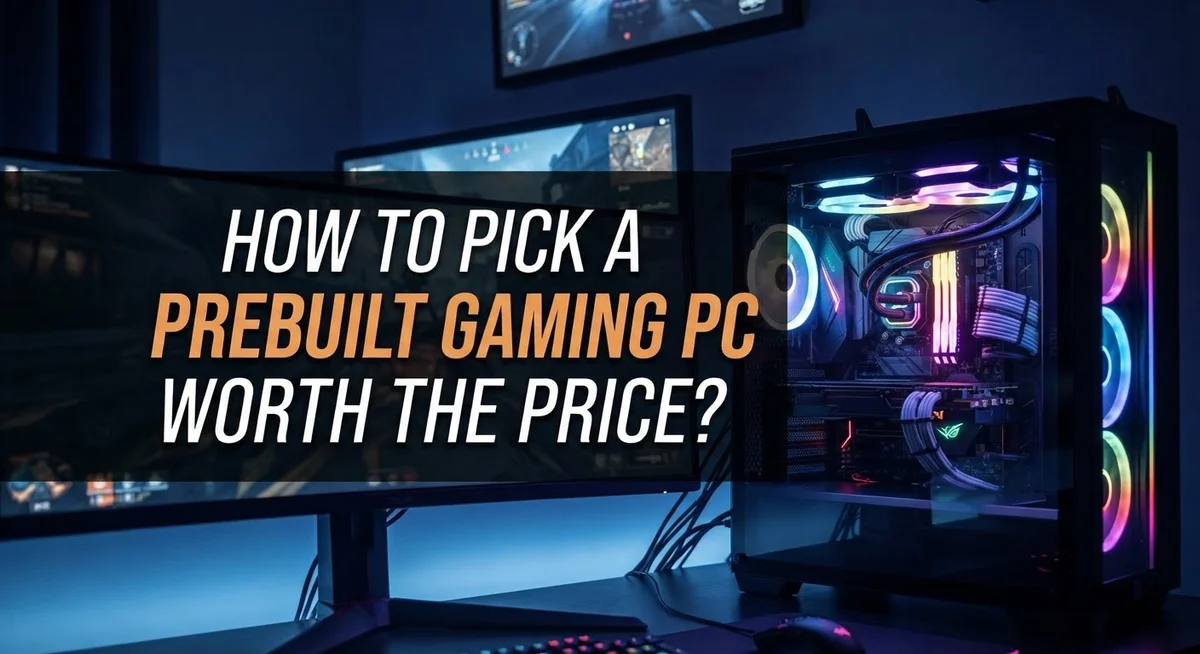
How to Pick a Prebuilt Gaming PC Worth the Price
Buying a prebuilt gaming PC feels exciting. But picking the right one feels tricky too.
Many shoppers focus on flashy designs or big brand names. They forget to check what really matters inside the box.
This guide helps you cut through the noise. You will learn how to spot true value in any prebuilt gaming PC.
We cover the most important parts first. The graphics card decides how well your games run. We explain why this matters more than anything else.
You will also learn how the CPU, power supply, and upgrade options play a role. Skipping these checks often leads to regret later.
Vendors price their systems very differently. Some charge fair prices for solid parts. Others overcharge for weak hardware.
We will show you how to compare options wisely. You will learn simple steps to set a budget, judge specs, and avoid common traps.
By the end, you will feel confident. You will know exactly what to check before you spend your money on a prebuilt gaming PC.
In a Nutshell
Picking the right prebuilt gaming PC comes down to a few key checks. Here’s what to remember before you buy.
-
Focus on the GPU first. It drives most of your gaming performance. A strong graphics card matters more than any other part.
-
Match the CPU to your GPU. A weak processor can slow down even a great graphics card. Balance is key.
-
Check the power supply quality. A cheap PSU can cause crashes or damage parts. Always look for a trusted brand and enough wattage.
-
Think about future upgrades. Pick a case and motherboard that let you add parts later. This saves money over time.
-
Compare vendors carefully. Prices for similar specs can vary a lot. Some brands charge more for the same performance.
-
Look into extra features. Upscaling tech and frame generation can boost your gaming experience without needing pricier hardware.
Keep these points in mind, and you will find a prebuilt PC that fits your budget and your gaming needs.
Why the GPU Should Drive Your Decision
The graphics card (GPU) handles all the heavy lifting when you play games. It renders every pixel on your screen. Without a strong GPU, even the best CPU cannot deliver smooth frame rates or high visual quality.
Think of the GPU as the engine of your gaming PC. A faster GPU lets you play newer games at higher settings. It also enables better resolution and frame rates. The CPU helps, but the GPU does the actual graphics work.
When you shop for a prebuilt, start by identifying which GPU fits your budget range. Look at what games you want to play and what performance you expect. A GPU from three or four years ago may still handle older titles well. Newer games demand current generation graphics cards.
The price difference between GPU models matters a lot. Two prebuilts might cost the same, but one could have a much faster graphics card. That system will outperform the other for gaming. Always compare the specific GPU model, not just the total system price.
Check the GPU’s memory too. Most modern cards have between 6GB and 24GB of video memory. More memory helps with high resolution gaming and future games. However, a faster card with less memory often beats a slower card with more memory.
Pay attention to power requirements as well. Faster GPUs need more electricity. This ties directly to your power supply quality, which we cover separately. A weak power supply cannot handle a high end graphics card, even if the prebuilt seller included one.
Your GPU choice determines your gaming experience more than any other single part. Prioritize finding the fastest graphics card within your budget. Everything else in the system should support that GPU choice. This approach ensures you get the best gaming performance for your money.
Balancing CPU Performance with Your Graphics Card
Your CPU and GPU must work together smoothly. A powerful GPU paired with a weak CPU creates a bottleneck. Your CPU cannot feed data fast enough to your graphics card. This wastes your GPU’s potential and hurts your gaming performance.
Think of it this way: your CPU is the traffic controller. Your GPU is the highway. If the controller moves too slowly, cars (data) back up. The highway never reaches full capacity. You paid for performance you cannot use.
When comparing prebuilts, check both specs together. A mid range GPU needs a solid CPU to match. A high end GPU needs a stronger CPU to keep up. Look at the processor generation and core count. Newer generations perform better even at the same core count.
Match your CPU tier to your GPU tier. If you pick a premium graphics card, invest in a quality processor too. If you choose a budget GPU, a standard CPU works fine. Balance matters more than having one amazing component.
Pay attention to RAM alongside these two. Your CPU and GPU both benefit from fast RAM. Slower RAM forces both components to wait. Aim for at least 16 GB of fast RAM in any gaming prebuilt you consider.
Check the power delivery system as well. Your CPU and GPU both draw significant power. A weak power supply cannot deliver stable electricity to both. This causes crashes, stuttering, or system failures. The power supply should match the combined needs of your CPU and GPU.
Read reviews that test actual gaming performance. Benchmark videos show how specific CPU and GPU pairs perform together. Real world gaming results matter more than individual spec numbers. This research takes time but saves you from making an expensive mistake.
Understanding Power Supply Quality and Reliability
A power supply (PSU) is the heart that keeps your gaming PC alive. It converts wall electricity into the power your components need to run. Many shoppers ignore this part, but a weak or unreliable PSU causes crashes, data loss, and hardware damage.
Your PSU has two main ratings to understand. The wattage tells you the total power it can deliver. The efficiency rating (Bronze, Gold, Platinum) shows how much electricity it wastes as heat. Higher efficiency means lower electric bills and cooler operation.
Check the PSU wattage against your GPU and CPU requirements. A graphics card and processor combined might need 550 watts of real power. Always pick a PSU with at least 150 watts extra headroom. This prevents the unit from running at maximum capacity all the time, which shortens its lifespan.
Look for PSUs with 80 Plus certification or better. This means the unit meets basic quality standards. Bronze level is acceptable. Gold level is better for long term reliability. Platinum and Titanium ratings offer the best efficiency but cost more.
Read the PSU brand name carefully. Some prebuilt makers use generic or lesser known power supplies to cut costs. Research whether the PSU brand has good customer reviews. Check if the PSU comes with a warranty separate from the PC itself.
Modular PSUs (cables you plug in as needed) run cooler than non modular ones. Better airflow inside your case means better performance and longer component life. Semi modular is a middle ground option.
Don’t assume a prebuilt’s PSU is good just because the PC costs a lot. Premium retailers sometimes use average power supplies in expensive systems. Always verify the exact PSU model before you buy. A quality power supply protects your entire investment and ensures stable gaming for years to come.
A Step-by-Step Approach to Evaluating Any Prebuilt
Start by setting two or more price ranges before you begin shopping. This step helps you focus your search and prevents you from overspending.
Know what you can spend. Write down a minimum budget and a maximum budget. For example, you might decide to spend between $800 and $1,200. This gives you clear boundaries to work within.
Next, research what GPUs exist in each price range. The graphics card matters most for gaming, so understanding your GPU options first makes everything else easier. Look up which graphics cards appear in prebuilts at your price points.
Compare the actual specs side by side. Don’t just look at the total price. Open multiple listings and write down the GPU, CPU, RAM, and storage for each system. This comparison shows you which prebuilts offer better value for your money.
Check the power supply wattage on every system you consider. A quality PSU should have enough capacity for your GPU and CPU combined, plus an extra 20 to 30 percent. Look for 80 Plus Bronze certification as a minimum standard.
Read customer reviews from people who bought the exact prebuilt model you’re interested in. Real owners tell you whether the system runs hot, stays quiet, or has shipping damage. Their experiences reveal problems that specs alone won’t show.
Verify the upgrade path for each system. Can you add more RAM later? Is the storage easy to replace? Systems with accessible components let you improve performance without buying a whole new PC.
Check the warranty length and what it covers. Some retailers offer one year of coverage, while others provide three years. Good customer support matters when something breaks.
Finally, compare retailers themselves. Buy from companies with solid reputations for handling returns and fixing problems quickly. A cheap PC from an unreliable seller costs more in frustration than a slightly pricier system from a trusted vendor.
Assessing Upgrade Potential for Long-Term Value
When you buy a prebuilt gaming PC, you’re making an investment that should last several years. Upgrade potential directly affects how long your PC stays competitive. Before you purchase, check whether you can actually open the case and access key components.
Some prebuilts use proprietary designs that make upgrades difficult or impossible. The motherboard size matters here. Standard ATX motherboards give you more upgrade options than mini ITX boards. Check if the case has extra slots for additional storage drives or RAM modules.
Your power supply determines what upgrades you can handle later. If your PSU has limited wattage, you won’t be able to install a faster graphics card in the future. A power supply with headroom above your current needs lets you upgrade to more demanding components without replacing the entire unit.
Storage expansion is another key factor. Look for systems with empty drive bays or M.2 slots still available. Upgrading RAM should be straightforward too. Check how many memory slots are occupied versus how many total slots exist on the motherboard.
The CPU socket type matters for future processors. Newer socket designs support more generations of CPUs than older ones. If your prebuilt uses a current generation socket, you’ll have upgrade options for several years.
Consider the cooling system as well. Better cooling solutions give you more room to upgrade to hotter, more powerful components. Prebuilts with quality case airflow and good CPU coolers handle upgraded hardware more easily.
Finally, verify that the manufacturer doesn’t use locked BIOS settings or other restrictions. Some prebuilts prevent users from adjusting settings or installing certain components. Read customer reviews specifically about upgrade experiences. Real users share whether they successfully upgraded their exact model and what challenges they faced.
Understanding Upscaling and Frame Generation Technologies
Upscaling and frame generation are two separate technologies that boost your gaming performance without requiring a more expensive graphics card. Understanding how they work helps you make smarter choices when comparing prebuilt systems.
Upscaling technology takes your game at a lower resolution and intelligently enlarges it to your monitor’s native resolution. Your GPU renders the game at 1440p, for example, then upscales to 4K. This approach uses less processing power while delivering sharp visuals. The result is higher frame rates without sacrificing image quality noticeably.
Different GPU manufacturers offer their own upscaling solutions. Nvidia has one version, AMD has another, and Intel offers its own as well. Each works slightly differently, but the core concept remains the same: render lower, display higher.
Frame generation is a newer technology that creates entirely new frames between the ones your GPU renders. If your game runs at 60 frames per second, frame generation can artificially insert additional frames to reach 120 FPS or higher. Your graphics card analyzes motion and predicts what the next frame should look like.
Both technologies reduce the workload on your GPU significantly. This matters when shopping for prebuilts because a system with these features can handle demanding games at higher settings than a system without them.
When evaluating prebuilt systems, check whether the graphics card supports these features. Not every GPU does, and older models won’t have this capability. These technologies are most useful if you game at high resolutions like 1440p or 4K.
Keep in mind that frame generation quality varies between implementations. Some feel smoother than others. Reading performance reviews helps you understand how well these features work in actual games you plan to play.
Choosing a prebuilt with these technologies gives your system more longevity and better value over time.
Common Mistakes That Lead to Poor Value Purchases
Many people make costly mistakes when shopping for prebuilt gaming PCs. Understanding these errors helps you avoid wasting money on poor value systems.
Ignoring the power supply is a huge mistake. Many shoppers focus only on the GPU and CPU. They overlook the PSU wattage and quality. A weak power supply limits your upgrade options later. It can also fail unexpectedly and damage other components. Always check the PSU specifications before buying any system.
Prioritizing CPU over GPU is another common error. Some buyers think a faster processor means better gaming. This is backwards. Your graphics card determines gaming performance, not your CPU. A system with a mid range GPU and expensive CPU wastes your money. Flip this priority. Get the fastest GPU your budget allows, then add a CPU that matches it.
Overpaying at premium retailers happens frequently. Some brands charge significantly more for identical specs. You pay for the name, not better performance. Research multiple retailers and compare actual specifications. Don’t assume expensive means better quality.
Neglecting upgrade accessibility costs you later. Some prebuilts use proprietary motherboards or cases. Adding RAM or replacing storage becomes difficult. Ask yourself: Can I upgrade the RAM easily? Is the storage replaceable? Does the case allow better cooling solutions? These questions matter for long term value.
Skipping customer reviews is risky. Read feedback from people who bought the exact model you want. They reveal real world issues like poor customer support or defective units. Reviews show whether the company stands behind their products.
Ignoring warranty terms is a final mistake. Check what the manufacturer covers and for how long. Some warranties are limited. Others provide excellent support. A strong warranty protects your investment significantly.
Final Thoughts
Picking the right prebuilt gaming PC comes down to smart research and clear priorities. Your GPU choice matters most. It decides how well your games run and how long your system stays relevant.
Don’t rush your decision. Take time to compare specs across different price ranges. This helps you understand what you actually get for your money.
Check the CPU too, but remember it plays a supporting role. A balanced system performs better than one with a single standout part and weak components elsewhere.
Power supply quality deserves your attention. A weak PSU limits your future upgrades and can cause system instability. Don’t skip this step just because it seems less exciting than the graphics card.
Upgrade potential is your safety net. Even a great PC today might need changes in two or three years. Systems with standard parts and open cases give you more freedom later.
Watch out for locked BIOS settings and proprietary designs. These restrictions can trap you with a system you can’t improve over time.
Retailer reputation matters just as much as hardware specs. Some brands charge premium prices for average components. Others offer honest value with solid support.
Read reviews from real buyers before you commit. Their experiences reveal problems that spec sheets never show you.
Warranty coverage and customer support quality can save you stress later. A good warranty means help is available when something goes wrong.
Take your time with this purchase. Rushing leads to overspending or choosing a system that doesn’t fit your needs.
Compare multiple options across different vendors. Look at total value, not just the price tag.
A prebuilt gaming PC becomes worth the price when it matches your budget, meets your performance needs, and leaves room to grow. Follow these steps, and you’ll make a confident choice that serves you well for years ahead.
Frequently Asked Questions
Should I buy a prebuilt gaming PC or build one myself?
Prebuilts offer real convenience and come with warranty protection. You avoid assembly stress and get immediate support if something fails. Custom builds save money and give you total control, but they require technical knowledge and time investment.
For beginners, prebuilts make sense. For experienced PC users with a tight budget, building custom can stretch your dollars further. Consider your comfort level with hardware before deciding.
What’s the single most important component to check?
The graphics card matters most for gaming performance. It determines your frame rates and resolution capability more than any other part. A powerful GPU paired with a modest CPU beats the opposite combination every time.
Spend your budget on the best GPU you can afford. The CPU plays a supporting role and doesn’t need to match the GPU’s price point exactly.
How do I know if the power supply is good enough?
Check the wattage rating and the brand name. Quality PSU manufacturers include Seasonic, Corsair, and EVGA. Avoid no name brands or suspiciously cheap options.
The wattage should comfortably exceed your system’s total power draw. A 750W supply for a high end GPU is reasonable. Never assume the PSU is adequate without verification.
Can I upgrade parts later if I need better performance?
This depends on the prebuilt’s design. Some use standard motherboards and cases that accept new components easily. Others use proprietary parts that lock you in.
Before buying, research whether the case accepts standard graphics cards and whether the motherboard allows BIOS updates. Upgrade potential protects your investment over time.
How important is the retailer’s reputation?
Very important. Read customer reviews about the specific model you want, not just the brand. Check feedback about shipping condition, customer service response times, and warranty claims handling.
A great deal means nothing if the company ignores your problems. Reputation directly affects your ownership experience.

DK is a tech enthusiast and product reviewer dedicated to helping readers explore the ever-evolving world of technology. With a passion for testing gadgets, apps, and appliances, DK delivers honest, in-depth reviews and practical buying guides to make your tech decisions easier.