Sony INZONE H3 Gaming Headset Review: Features, Performance & Value
Looking for a gaming headset that feels light on your head? The Sony INZONE H3 might catch your eye.
This headset promises comfort for long gaming sessions. It also offers personalized spatial sound to boost your positional awareness in games.
But does it truly deliver a great experience? We put the INZONE H3 through real tests to find out.
You will learn about its comfortable design and clever sound features. We also cover the drawbacks, like noise isolation issues and heat buildup from the cloth ear pads.
This review breaks down every detail. You will see how the microphone performs and if the sound quality meets your expectations.
By the end, you will know if this headset fits your gaming setup. Let’s jump into what makes the Sony INZONE H3 stand out, and where it falls short.
In a Nutshell
Here is a quick rundown of what the Sony INZONE H3 brings to the table.
-
Spatial Sound Tech: The headset uses 360 Spatial Sound to help you pinpoint enemy footsteps and gunshots with ease. You can even personalize this feature by uploading a photo of your ear shape.
-
Build and Comfort: It sports a light frame that feels gentle on your head during long play sessions. The cloth ear pads feel soft at first, but they trap heat over time.
-
Microphone Setup: A flip up boom mic sits ready for your Discord calls. Sadly, the mic quality does not impress much and sounds thin.
-
Sound Isolation: Leakage stays fairly controlled, so people nearby will not hear much. Noise isolation, though, is weak. Outside sounds sneak into your gaming world easily.
-
Overall Verdict: This headset works well for casual comfort and smart sound tracking. It struggles with premium audio clarity and isolation.
If you want a light headset with smart audio tricks, this one delivers. Just do not expect flagship level sound or a stellar microphone.
Design and Build Quality
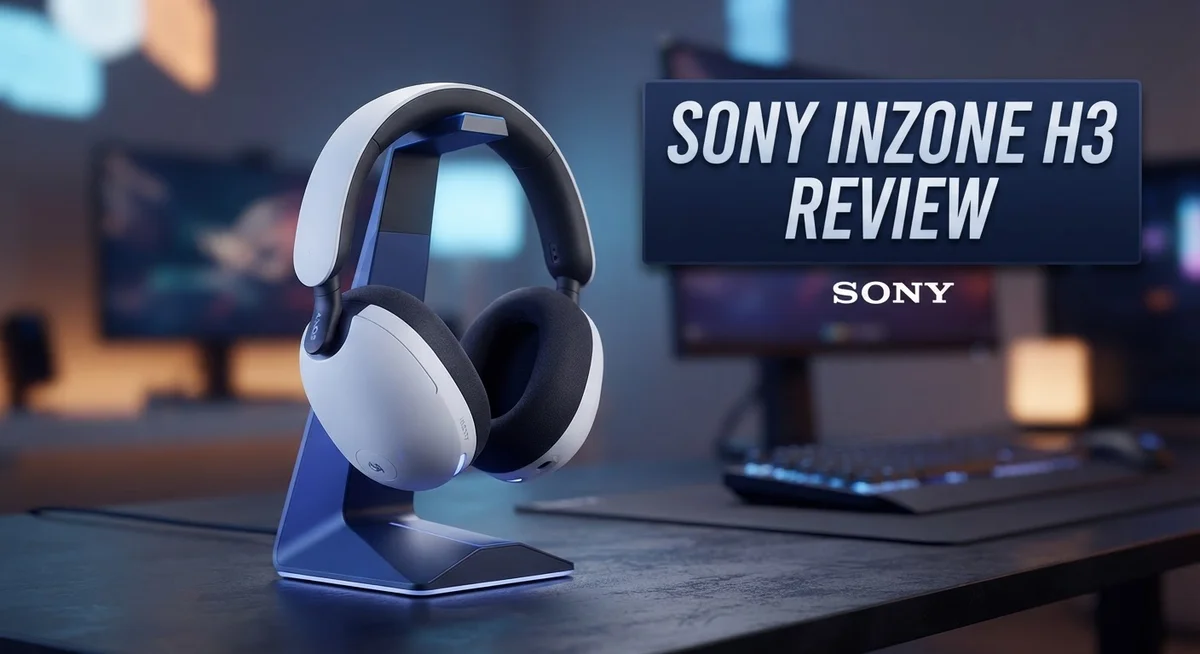
The Sony INZONE H3 displays a clean, minimalist design that appeals to gamers who prefer understated aesthetics. The headset avoids flashy RGB lighting or aggressive styling. Instead, it opts for a straightforward black finish with simple Sony branding.
Weight plays a crucial role in comfort, and Sony nailed this aspect. The INZONE H3 tips the scales at just 192 grams, making it one of the lightest gaming headsets available. You will barely feel it pressing against your head during marathon gaming sessions. The lightweight construction uses plastic components throughout, which keeps the overall mass down without sacrificing structural integrity.
The headband features a padded design that distributes pressure evenly across your head. The adjustment mechanism works smoothly and locks into place securely. You get plenty of sizing options to accommodate different head shapes and sizes. The ear cups rotate and swivel, allowing you to find the perfect angle for your ears.
Ear pads present a notable trade-off. Sony chose cloth material instead of memory foam or synthetic leather. This decision helps with breathability, but cloth traps heat and moisture during extended wear. Your ears may feel warm and sticky after three to four hours of continuous use. The ear pads do not provide as much isolation as premium alternatives either.
The flip-up boom microphone feels sturdy and well-engineered. It moves smoothly and stays in position once you position it. The mute function works intuitively, and the mic retracts cleanly when you flip it up. However, the actual audio quality from the microphone disappoints, which we cover in detail elsewhere.
Cable management includes both a 3.5mm jack and USB dongle connection. This dual connectivity approach gives you flexibility across different devices. The cables feel durable and resist tangling reasonably well. Overall, the build quality feels solid for the market segment. The materials and construction choices prioritize comfort and practicality over premium aesthetics or cutting-edge design elements.

- PERSONALIZED AUDIO: Personalized 360 Spatial Sound for Gaming provides precise rival detection. Get...
- DISCORD CERTIFIED: Crystal-clear communications for Discord calls with flip-to-mute mic.
- HEADSET CONTROLS: Ergonomically designed controls for effortless operation.

Last update on 2026-11-06 / Affiliate links / Images from Amazon Product Advertising API
Audio Performance and Spatial Sound
The Sony INZONE H3 uses a 360 Spatial Sound system that creates a 7.1 channel surround experience. This tech works through the INZONE Hub software on your PC. The headset analyzes a photo of your ears during setup. Sony uses this custom measurement to personalize your audio profile.
Positional awareness becomes sharper with this system. You hear footsteps and gunshots from specific directions. Enemy locations feel more obvious in competitive shooters. The spatial mapping helps you react faster in intense moments.
The audio signature favors gaming over music listening. Mids and highs receive a slight boost. This emphasis helps you catch dialogue and sound effects clearly. Bass sits slightly recessed, which keeps explosions from overwhelming other sounds.
Leakage performance stays solid for a gaming headset. People sitting nearby will not hear loud audio bleeding out. This matters if you share your gaming space with others. The closed back design handles this well.
Sound isolation presents a notable weakness. Outside noise still reaches your ears fairly easily. Traffic, conversations, and background sounds come through without much blocking. This limits your immersion in quieter game moments. You stay aware of your surroundings, which some gamers prefer.
The 360 Spatial Sound shines most in tactical shooters. Games like Counter Strike and Valorant benefit from precise directional audio. The personalized calibration makes a real difference here. Generic spatial sound cannot match this level of accuracy.
Switching between games and content happens smoothly. The INZONE Hub lets you toggle spatial sound on and off. Music sounds more natural with the feature disabled. Gaming gets the full surround treatment when you enable it.
The headset handles both wired and wireless connections through its dual input options. Audio quality remains consistent across both connection types. You get flexibility in how you connect to your devices.
Overall, the audio performance targets gamers who value positional awareness. The spatial sound system delivers on its promise. Sound isolation falls short, but leakage control works well. This headset excels at what it was built for: competitive gaming audio.
Microphone and Communication Features
The Sony INZONE H3 includes a flip-up boom microphone that connects directly to your mouth area when you need it. You can push it away when you want to listen without broadcasting your voice. This design keeps the mic out of sight during single-player sessions.
The microphone quality sits below what you might expect at this tier. Your teammates will hear your voice, but it lacks the clarity that premium gaming headsets offer. Background noise gets picked up more than you would want during intense matches. If you stream or record gameplay, you may want a separate USB microphone for better results.
Discord certification means Sony tested this headset specifically for voice chat compatibility. The platform recognizes the H3 as a solid communication device. Discord users get reliable push-to-talk functionality and voice detection that works smoothly. This badge matters if you spend hours in Discord servers with your gaming squad.
The microphone boom moves up and down with a satisfying click. It feels sturdy and does not wobble during gameplay. The flexible arm lets you position the mic closer or farther from your mouth. You control how much of your breathing and keyboard noise the mic picks up based on placement.
One trade-off emerges with the microphone positioning. The boom sits slightly forward, which means some users need to adjust their head angle for optimal voice capture. A few gamers report that the mic catches more ambient sound than they prefer. Rooms with air conditioning or fans become noticeable in voice comms.
The headset lacks active noise cancellation for the microphone. This means your teammates hear whatever happens in your environment. Mechanical keyboards, mouse clicks, and background conversations all transmit during calls. If you game in a quiet space, this becomes less of an issue.
For casual gaming and friend groups, the microphone performs adequately. You will communicate without major problems. Competitive players or content creators should consider upgrading to a dedicated microphone setup. The Sony INZONE H3 prioritizes listening over speaking quality.
Top 3 Alternatives
SteelSeries Arctis Nova

- 100+ GAME AUDIO PRESETS — Unlock tailored audio presets for top games like GTA V, FIFA, Call of...
- 60-HOUR BATTERY — Play longer than ever with the next-gen battery. Go 8 hours a day all week; plus...
- QUICK-SWITCH WIRELESS — Toggle between 2.4GHz gaming and Bluetooth 5.3 with a tap of a button to...
Last update on 2026-11-06 / Affiliate links / Images from Amazon Product Advertising API
The SteelSeries Arctis Nova stands out as a solid gaming headset choice. This model delivers clear audio with strong bass response. The headset features a comfortable fit for long gaming sessions. You get a noise-cancelling microphone that picks up your voice accurately.
The build quality feels premium and durable. The audio drivers produce detailed sound across all frequencies. Battery life runs strong for wireless users. The headset works well on multiple platforms without hassle.
HyperX Cloud Stinger

- Official Xbox Licensed Headset: Designed for seamless compatibility with Xbox Series X|S and Xbox...
- Direct Xbox Wireless Connection: High-quality wireless audio at the press of a button. No need for...
- Built-in headset chat mixer: Adjust the balance of your game and chat audio levels with the chat mix...
Last update on 2026-11-05 / Affiliate links / Images from Amazon Product Advertising API
The HyperX Cloud Stinger offers excellent value for gamers. This headset provides comfortable ear cups that don’t cause fatigue during extended play. The microphone quality remains clear and reliable for team communication.
Sound performance covers gaming needs effectively. The headset feels lightweight, which many players appreciate. Durability stands out as a key strength here. You’ll find it works smoothly across PC, console, and mobile devices.
ASUS ROG Delta

- Versatile Tri-Mode Connectivity: Features Bluetooth, 2.4GHz (via ROG SpeedNova wireless technology...
- Multi-Platform Compatibility: Comptaible with PC and Mac, PlayStation (PS4/PS5), Xbox (Series X|S...
- DualFlow Audio: Simultaneously connect to two devices via 2.4GHz and Bluetooth. This wireless gaming...
Last update on 2026-11-06 / Affiliate links / Images from Amazon Product Advertising API
The ASUS ROG Delta brings premium gaming audio to your setup. This headset features high-quality sound drivers that deliver immersive audio. The microphone captures voice communication with excellent clarity.
The design looks sleek and professional. Comfort remains strong even during marathon gaming sessions. The build quality reflects attention to detail. The headset integrates well with ASUS software for custom audio settings. You get flexibility across different gaming platforms and devices.
Comfort and Fit for Extended Gaming
The Sony INZONE H3 earns its reputation as a solid choice for marathon gaming sessions. The lightweight construction means your neck stays comfortable even after hours of play. You won’t feel fatigued from the headset pulling down on your shoulders.
The padded headband deserves special attention here. It wraps around your head with even pressure distribution. No single spot feels pinched or irritated. This design choice prevents the hot spots that plague many gaming headsets.
However, the cloth ear pads create a significant comfort challenge during extended wear. Heat buildup becomes noticeable after 2 to 3 hours of continuous use. Your ears start feeling warm and slightly sweaty. This happens because cloth doesn’t breathe as well as other materials. Gamers in warm environments may struggle more than others.
The ear cup size accommodates most head shapes without issue. They sit naturally over your ears without pressing too hard. The seal feels secure without feeling restrictive. You can wear glasses comfortably underneath without experiencing pressure points.
The headband itself stays light enough that you forget you’re wearing it. This matters when you’re focused on your game. A heavy headset constantly reminds you of its presence. The Sony INZONE H3 stays out of your mind.
For shorter sessions under two hours, comfort excels. The headset feels almost like a natural extension of your gaming setup. You can move your head freely without worrying about the fit slipping.
The flip-up microphone boom adds to the overall comfort factor. You don’t need to remove the headset to adjust it. Just flip it up when you’re done talking. This convenience keeps your gaming flow uninterrupted.
The cable connections work well for stationary gaming. You stay seated at your desk without tangled wires getting in your way. The dual input options give you flexibility in how you connect.
Overall, the Sony INZONE H3 handles comfort reasonably well for extended sessions. The lightweight design and padded headband shine. The cloth ear pads present the main drawback. If you game in cool environments and take occasional breaks, this headset performs admirably for all day gaming comfort.
Connectivity and Compatibility
The Sony INZONE H3 connects to your gaming setup in two distinct ways. You get a standard 3.5mm jack for direct audio input, plus a USB dongle for wireless connectivity. This dual connection approach means you can switch between your console, PC, or mobile device without swapping cables constantly.
The USB dongle unlocks the full potential of the INZONE Hub software. This companion app lets you access the 360 Spatial Sound system and customize your audio profile. The software runs smoothly on Windows and PlayStation systems, making setup straightforward for most gamers.
Compatibility spans multiple platforms without requiring separate drivers or complex configuration steps. Your PC recognizes the headset immediately when you plug in the USB dongle. PlayStation 4 and PlayStation 5 users benefit from native support, and the headset works with most modern gaming laptops as well.
The personalized audio feature deserves mention here. You upload a photo of your face through the INZONE Hub, and Sony’s algorithm adjusts the spatial sound to match your unique ear shape. This customization improves how accurately you hear enemy footsteps and in-game directional cues.
Mobile device users should note that the 3.5mm connection works with any smartphone or tablet. The USB dongle won’t function on mobile phones, so wired connection becomes your only option for on-the-go gaming. This limits wireless freedom if you game across multiple devices.
Discord certification confirms that Sony tested this headset specifically for voice communication. Your teammates hear you clearly during squad calls and competitive matches. The certification doesn’t guarantee perfect microphone performance, but it shows Sony prioritized chat compatibility.
Cable length reaches approximately 1.2 meters on the main audio cable. This standard length works well for desk setups and console gaming positions. The USB dongle cable adds another meter of reach, giving you flexibility in where you position your receiver.
Overall, the Sony INZONE H3 handles connectivity without complications. You won’t experience driver conflicts or pairing issues that plague some gaming headsets. The dual connection method gives you options depending on your gaming situation.
Pros and Cons
Pros
- Lightweight design keeps your head comfortable during long gaming marathons without feeling heavy or cumbersome
- 360 Spatial Sound gives you precise positional awareness so you hear enemy footsteps and in-game direction cues clearly
- Personalized audio via photo upload adjusts sound to your unique ear shape for better immersion
- Ergonomic fit accommodates most head shapes without pinching or sliding around during intense gameplay
Cons
- Poor noise isolation means outside sounds leak in and distract you from your game or stream
- Cloth ear pads trap heat and moisture, making extended sessions feel uncomfortable and sweaty
- Microphone quality falls short of expectations, making your voice sound less clear to teammates in Discord calls
- Sound quality doesn’t match what you’d get from premium gaming headsets at similar performance levels
Who Should Buy It
The Sony INZONE H3 fits best with casual to mid-level gamers who play for two to four hours per session. You get solid performance without breaking your focus during competitive matches.
Competitive shooters benefit most from this headset. The 360 Spatial Sound helps you detect enemy positions through audio cues. You hear footsteps and gunfire direction with clarity. This advantage matters in games like Call of Duty, Valorant, and CS2.
Console gamers find real value here since the headset works seamlessly with PlayStation and Xbox. The USB dongle connection gives you access to full spatial audio features on these platforms. You don’t need complicated setup steps or additional software beyond the INZONE Hub.
If you stream on Discord, this headset delivers certified performance. Your teammates hear you clearly thanks to the flip-up microphone. The Discord certification means Sony tested this specifically for voice communication quality.
Players who prefer stationary gaming benefit most. You sit at a desk or couch without moving around much. The wired connection stays stable without any wireless interference or battery concerns.
However, skip this headset if you need extended comfort. Sessions longer than four hours become uncomfortable due to heat buildup in the cloth ear pads. Your ears will feel sweaty and fatigued.
Avoid this if you game in noisy environments. Poor noise isolation means background sounds distract you constantly. Family noise, roommates, or traffic will bleed through and interrupt your focus.
If you prioritize microphone quality for streaming or content creation, look elsewhere. The built-in mic captures your voice but lacks the clarity that broadcasters need.
This headset works well for someone seeking personalized spatial audio without premium pricing tiers. The photo upload feature adjusts sound to your ear shape. You get customized audio that generic headsets simply cannot match.
The INZONE H3 suits you if you want lightweight comfort for moderate gaming sessions with strong directional audio. You’ll appreciate the personalization features and spatial sound accuracy. Just know that extended wear and noise isolation are not strengths here.
Final Verdict
The Sony INZONE H3 stands as a solid choice for gamers who want clear audio cues without spending on premium gear. Its strengths shine in specific scenarios, while its weaknesses show up in others.
This headset earns its place among casual gaming setups. The spatial audio technology gives you an edge in tracking enemy positions. That alone makes it worth considering for shooter fans.
However, this headset has clear limits. Long streaming sessions expose the microphone’s weaknesses quickly. Serious content creators will notice the difference compared to dedicated microphone setups.
Comfort remains a mixed bag here. Short sessions feel great, but your ears may sweat during marathon gaming nights. Heat buildup becomes noticeable after the two hour mark.
Think about your gaming habits before buying. Do you play in a quiet room? Do you game for short bursts rather than all night sessions? If yes, this headset fits your lifestyle well.
Sound isolation issues make this a poor pick for shared living spaces. Roommates, family members, or noisy environments will interfere with your gaming immersion. Outside noise creeps in constantly.
Compared to rival headsets in similar categories, the Sony INZONE H3 offers unique spatial audio personalization. Few competitors match this specific feature at this level. That single advantage sets it apart from generic alternatives.
Overall, this headset rewards specific types of gamers. Console players, casual streamers, and positional audio enthusiasts get the most value. Competitive players who need crystal clear voice chat should look at other options.
Final recommendation: Buy this headset if you value spatial sound and comfort during short sessions. Skip it if you need premium microphone quality or extended wear comfort. Match your gaming style to its strengths, and you will enjoy solid performance for everyday gaming needs.
Frequently Asked Questions
Does the Sony INZONE H3 work with all gaming platforms?
Yes, it works across PlayStation, Xbox, Nintendo Switch, and PC. The headset connects via 3.5mm cable or USB dongle. You get the full 360 Spatial Sound feature on PlayStation 5 and PC when you install the INZONE Hub software. Console gamers find this flexibility really useful since they don’t need separate headsets for different devices.
Can you actually hear a difference with the personalized spatial sound?
The personalized audio does make a noticeable difference. You upload a photo of your ear, and the software adjusts the sound profile to match your ear shape. This creates better directional cues in games. Players report clearer footstep locations and more accurate in-game positioning. It’s one of the standout features that sets this headset apart from basic gaming options.
Is the microphone good enough for streaming?
The microphone is adequate but not exceptional. It captures your voice clearly for Discord calls and casual streaming. However, if you create content professionally or stream regularly, you’ll want a dedicated external microphone. The built-in mic works fine for team communication during gameplay, but it lacks the quality streamers and content creators typically need.
How long can you comfortably wear this headset?
The ergonomic design feels good for two to four hour sessions. The lightweight build reduces neck strain compared to heavier headsets. However, the cloth ear pads start trapping heat after extended wear. For marathon gaming sessions beyond four hours, you’ll notice discomfort building up. The padding isn’t ideal for all-day comfort.
What should I know before buying this headset?
Consider your gaming environment first. Poor noise isolation means outside sounds will distract you in quiet rooms or shared spaces. Think about your typical session length too. If you game for short bursts with friends, this headset shines. If you need extended comfort or pristine microphone quality, look at other options instead.

DK is a tech enthusiast and product reviewer dedicated to helping readers explore the ever-evolving world of technology. With a passion for testing gadgets, apps, and appliances, DK delivers honest, in-depth reviews and practical buying guides to make your tech decisions easier.