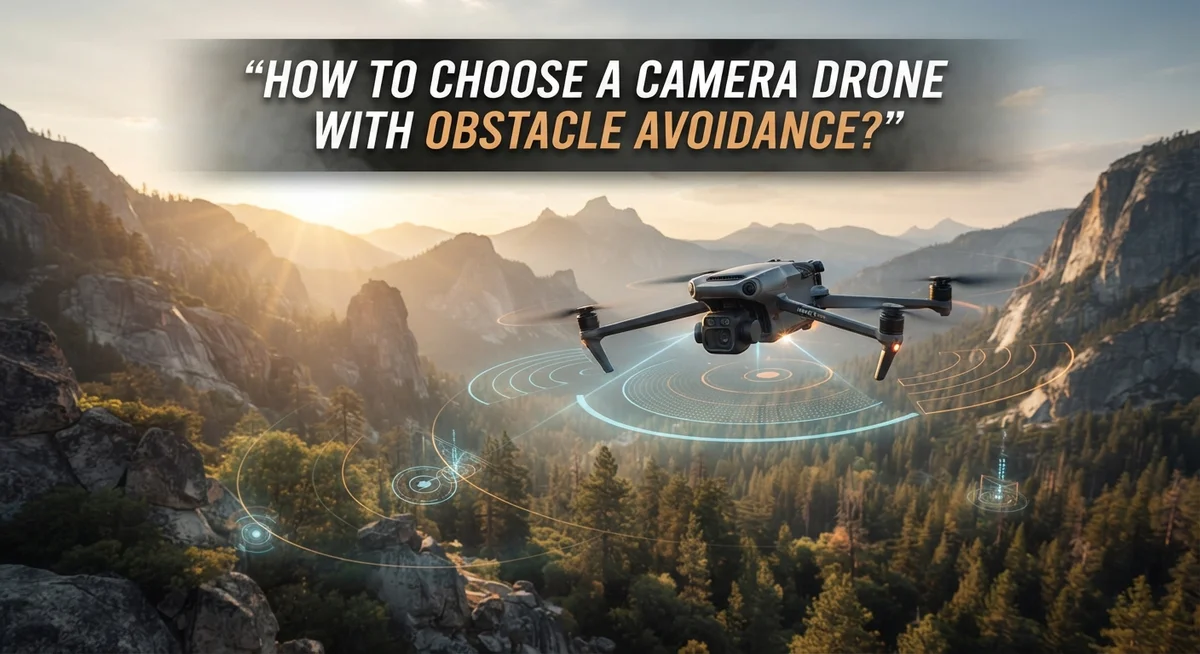
How to Choose a Camera Drone With Obstacle Avoidance?
Buying a camera drone feels exciting. But crashing it into a tree on day one? Not so fun.
That’s where obstacle avoidance comes in. This smart feature uses sensors to spot obstacles and help your drone dodge them.
It sounds like magic. But it’s not foolproof. Sensors have limits, and pilots still need to pay attention.
So how do you pick the right drone with this feature? You need to look beyond flashy marketing claims.
This guide walks you through everything that matters. We’ll cover essential features like GPS stabilization and return to home functions.
You’ll learn how to check sensor calibration and camera quality. We’ll also help you balance your budget against the features you actually need.
Beginners often make simple mistakes. Flying in cluttered spaces too soon is one of them. Skipping firmware updates is another.
We’ll show you how to avoid these pitfalls. You’ll also discover where obstacle avoidance shines and where it struggles.
By the end, you’ll know exactly what to look for. Your next drone flight can be safer and smarter from the very start.
In a Nutshell
Choosing the right camera drone with obstacle avoidance comes down to a few key checks. Here’s a quick summary to keep in mind before you buy.
-
Sensors matter most. Look for drones with reliable obstacle avoidance sensors. These sensors detect objects and help prevent crashes, but they aren’t perfect in every condition.
-
GPS stabilization is a must. It keeps your drone steady and improves overall flight safety.
-
Always check for a return to home (RTH) function. This feature brings your drone back safely if signal drops or battery runs low.
-
Camera quality deserves attention too. Compare specs like resolution and stabilization to match your photography needs.
-
Calibrate sensors regularly and keep firmware updated. Skipping this step causes most obstacle avoidance failures.
-
Balance your budget against features. Spending more doesn’t always mean better performance.
-
Remember, obstacle avoidance works best in open spaces. It struggles in cluttered areas or poor lighting.
Keep these points in mind, and you’ll pick a drone that fits your skill level and flying style.
Understanding How Obstacle Avoidance Technology Works
Obstacle avoidance technology relies on sensors to detect objects in a drone’s flight path. These sensors work by sending out signals and measuring how they bounce back. This allows the system to understand what’s around the aircraft in real time.
Most drones use one of two sensor types. Infrared sensors detect heat signatures from objects. Ultrasonic sensors send sound waves to measure distance. Some advanced models combine multiple sensor types for better accuracy.
The system processes sensor data through onboard computers. When an obstacle appears, the drone calculates a safe path around it. This happens in milliseconds, allowing for quick adjustments during flight.
Here’s what matters most: obstacle avoidance has real limits. The technology works well in open spaces with clear visibility. It struggles in dense environments with many obstacles close together. Poor lighting, rain, and fog can reduce sensor effectiveness significantly.
Sensor calibration directly affects performance. Misaligned sensors give inaccurate distance readings. This means the drone might misjudge how far away an obstacle actually is. You should verify that your chosen model allows for sensor calibration adjustments.
Firmware updates are equally important. Manufacturers regularly improve obstacle avoidance algorithms through software patches. An outdated drone may have weaker detection capabilities than a newer one with the same hardware.
The technology also depends on drone speed. Fast-moving aircraft have less time to detect and avoid obstacles. Slower flights give the system more reaction time.
Understanding these mechanics helps you set realistic expectations. Obstacle avoidance makes flying safer, but it’s not a substitute for operator awareness. You still need to pay attention and maintain control. Think of it as a helpful safety layer, not an autopilot feature that removes all responsibility from you.
Essential Features to Look for in a Camera Drone
When you’re shopping for a camera drone, several features work together to keep your flight safe and smooth. GPS stabilization is your foundation. This system locks your drone’s position in the air, even when wind pushes against it. Without solid GPS, your drone drifts and becomes harder to control.
Obstacle avoidance sensors come next. These detect objects ahead, to the sides, and sometimes below your drone. Different drones use different sensor types. Some use cameras that recognize obstacles like trees or buildings. Others use infrared or ultrasonic technology. The best choice depends on where you’ll fly most often.
A return to home function is essential for beginners. If your drone loses signal or battery runs low, it automatically flies back to its starting point. This feature saves you from losing your equipment in trees or open fields.
Camera specifications matter for your actual photos and videos. Check the resolution, sensor size, and whether it shoots in 4K or standard HD. A higher megapixel count doesn’t always mean better images. Look at the actual sensor quality instead.
Sensor calibration capability is something many people overlook. Your drone should let you calibrate obstacle avoidance sensors yourself. This keeps them working accurately over time. Dirt, dust, and temperature changes affect sensor performance.
Firmware updates are equally important. Manufacturers release software updates regularly to improve obstacle avoidance algorithms and fix bugs. Always check if your drone model receives frequent updates from the manufacturer.
Finally, consider your flying environment. Open spaces like parks and fields are ideal for beginners. Cluttered areas with trees and buildings require more advanced piloting skills, even with obstacle avoidance enabled. Match these features to your experience level and flying location for the best results.
Evaluating Camera Quality Alongside Safety Sensors
When you evaluate a camera drone, you need to think about both the camera quality and the safety sensors at the same time. These two features work together to give you better results.
Camera resolution and sensor size directly impact your photos and videos. Higher resolution cameras capture more detail. Larger sensors perform better in low light conditions. Check the megapixel count and sensor dimensions before you decide. A camera with good specs helps you get sharp, clear footage every time.
Obstacle avoidance sensors protect your investment and keep your flights smooth. Drones use different sensor types like ultrasonic, infrared, or visual systems. Each type has strengths and weaknesses. Visual sensors work well in bright daylight. Ultrasonic sensors perform better in varied lighting. Ask yourself which sensor type matches your flying style.
The balance between these two features matters more than having one excellent feature. A drone with a great camera but weak sensors creates safety problems. A drone with excellent sensors but poor camera quality limits your creative options.
Test the sensor coverage on the model you’re considering. Some drones detect obstacles only in front. Others have 360 degree protection. More coverage means safer flights, especially for beginners.
Check whether the drone lets you calibrate sensors yourself. This capability ensures your obstacle avoidance stays accurate over time. Poor calibration reduces sensor effectiveness and increases collision risk.
Firmware compatibility between the camera and safety systems matters too. Updated firmware improves how both systems communicate. Older firmware versions may have gaps in performance.
Consider your actual flying environment when weighing these features. Open spaces need less sensor coverage but benefit from excellent cameras. Cluttered areas demand superior obstacle avoidance even if camera specs are moderate.
Your choice should reflect what you’ll actually do with the drone. Match the camera quality and sensor capabilities to your real needs, not just impressive specifications.
Step-by-Step Guide to Selecting the Right Drone
When you start comparing different camera drones, you’ll notice that sensor placement varies significantly between models. Some drones have sensors on the front only, while others include them on multiple sides like front, rear, and bottom. This matters because complete coverage protects you from collisions in all directions.
Check how many sensors each model uses. Drones with more sensors typically detect obstacles faster and more accurately. However, more sensors also mean higher power consumption, which affects your flight time. You need to find the balance that works for your needs.
Look at the sensor range for each drone you consider. This tells you how far away the system can detect objects. A longer range gives you more reaction time. Most consumer models detect obstacles between 5 to 30 meters away, depending on the sensor type and weather conditions.
Pay attention to sensor speed and responsiveness. A fast sensor system gives the drone more time to avoid an obstacle. Slow sensors might detect something too late for the drone to change direction safely. Read user reviews about how quickly the drone responds in real situations.
Consider the field of view that the sensors cover. Some drones see only straight ahead, while others monitor wider angles. A wider field of view catches obstacles you might miss with limited coverage.
Test whether you can adjust sensor sensitivity settings. Some drones let you increase or decrease how aggressively the system responds. This flexibility helps you adapt to different flying environments.
Environmental factors also affect sensor performance. Sensors work differently in bright sunlight versus cloudy conditions. Rain, fog, and dust can reduce effectiveness too. Understanding these limitations helps you set realistic expectations about what the sensors can actually do in your local flying conditions.
Best Practices for Calibrating and Maintaining Sensors
Your drone’s sensors are like its eyes. They need regular attention to work properly. Clean sensors detect obstacles better than dirty ones.
Start by checking your drone’s manual for the specific calibration steps. Most manufacturers provide detailed instructions for your exact model. You’ll typically use the drone’s app or a computer software to run calibration routines.
Calibration should happen before important flights. If you notice your drone drifting or responding slowly to obstacles, recalibrate immediately. Environmental changes like temperature shifts can affect sensor accuracy, so recalibrate after flying in very different weather conditions.
Keep your sensors physically clean. Use a soft, dry cloth to gently wipe sensor lenses and surfaces. Dust and dirt block sensor signals. Never use water or harsh chemicals. A quick wipe takes seconds and prevents major problems later.
Update your firmware regularly. Manufacturers release updates that improve sensor performance and obstacle detection algorithms. Check for updates monthly through your drone’s app. New software often fixes calibration issues automatically.
Store your drone in a clean, dry place. Moisture and extreme temperatures damage sensors over time. A protective case keeps dust away from sensitive equipment.
Pay attention to sensor response times during flights. If your drone seems slow to react to obstacles, this signals a calibration problem. Don’t ignore warning signs. Ground the drone and recalibrate before flying again.
Keep maintenance records. Write down when you calibrate sensors and update firmware. This helps you spot patterns and schedule maintenance at the right times.
Test your obstacle avoidance system regularly in safe environments. Fly slowly toward a wall in an open field to verify sensor response. This simple test confirms everything works correctly before you fly in challenging conditions.
Proper sensor maintenance keeps your drone safe and extends its lifespan significantly.
Where Obstacle Avoidance Excels and Where It Falls Short
Obstacle avoidance systems work best in open, uncluttered spaces. Think of soccer fields, parks, or wide outdoor areas. Your drone’s sensors can detect objects clearly when there’s plenty of room to maneuver. The system performs reliably in good lighting conditions with minimal visual interference.
However, obstacle avoidance has real limitations you should know about. Complex environments pose serious challenges. Dense forests, tight spaces between buildings, and cluttered yards overwhelm most sensor systems. Your drone may struggle to distinguish between temporary obstacles and permanent structures.
Certain lighting conditions reduce sensor effectiveness significantly. Heavy rain, fog, or snow interferes with sensor accuracy. Flying during dawn or dusk creates shadows that confuse detection systems. Low visibility situations make obstacle avoidance less dependable.
Fast movements in confined spaces present another problem. Even advanced systems need time to process information and adjust flight paths. If you’re flying quickly through a narrow corridor, the drone may not react fast enough. Sensor response delays become critical in tight quarters.
Reflective surfaces also trip up obstacle avoidance. Glass windows, mirrors, and shiny metal panels can confuse sensors. Your drone might think a reflection is empty space or miss detecting the actual surface.
Wind conditions affect sensor performance too. Strong gusts push your drone unpredictably, sometimes faster than sensors can compensate. This is especially problematic near obstacles.
The most important takeaway: never rely solely on obstacle avoidance. You must stay alert and maintain manual control awareness. Beginners should practice in open fields first. Avoid flying near trees, houses, or complex structures until you’re confident in your skills.
Understand these limitations before purchasing. Choose a drone with obstacle avoidance as a safety backup, not as your primary protection. Your attention and flying skills remain the most important safety features.
Common Mistakes to Avoid When Choosing or Flying Your Drone
Flying a drone with obstacle avoidance requires awareness and responsibility. Many pilots make preventable mistakes that put their equipment and surroundings at risk.
The biggest error beginners make is flying in cluttered environments too soon. You might think obstacle avoidance will handle everything, but it cannot. Dense trees, power lines, and buildings create complex scenarios that confuse sensors. Start in open fields or parks where you have clear sightlines in all directions. This builds your confidence and skills safely.
Neglecting sensor maintenance causes serious problems. Dust, dirt, and fingerprints block your drone’s vision sensors. Even small particles reduce detection accuracy dramatically. Clean your sensors gently before each flight using a soft, dry cloth. Check them regularly for damage or debris buildup.
Ignoring firmware updates is another common mistake. Manufacturers release updates that improve obstacle avoidance performance and fix bugs. Skipping these updates means your drone operates with outdated software. Update your firmware whenever the app notifies you about new versions.
Many pilots rely too heavily on obstacle avoidance without staying alert. Remember that your drone’s sensors have limitations. Fast movements in tight spaces, reflective surfaces, and poor lighting conditions all reduce effectiveness. You must remain focused and ready to take manual control at any moment.
Flying in bad weather also causes problems. Wind, rain, and fog interfere with sensor function. Your drone may not detect obstacles properly in these conditions.
Finally, avoid overconfident flying. Just because your drone has obstacle avoidance does not mean you can fly recklessly. Treat the system as a helpful safety feature, not a guarantee. Stay responsible, practice regularly in safe spaces, and always maintain awareness of your surroundings. This approach keeps your flights safe and enjoyable.
Final Thoughts
Choosing the right camera drone with obstacle avoidance takes some thought. But it does not need to feel overwhelming.
Focus on your real needs first. Beginners should pick safety focused models with strong sensor coverage. Experienced pilots might prioritize camera quality over extra sensors.
Always check sensor calibration options before buying. A drone that lets you calibrate sensors easily will serve you better over time. This feature saves you trouble later.
Camera specifications matter too. Look at resolution, stabilization, and lens quality. A good camera makes your footage look professional and clean.
Your budget plays a big role in this decision. Balance price with the features you actually need. Do not pay for extras you will never use.
Remember that obstacle avoidance is a helpful tool, not a replacement for skill. You still need to learn basic flying techniques. Practice builds confidence and keeps your drone safe.
Start every new drone in an open field or park. This simple step prevents most early accidents. Give yourself time to understand how your drone responds to obstacles.
Firmware updates and sensor maintenance keep your drone performing well. Skipping these steps leads to problems down the road. Make maintenance part of your regular routine.
Think about where you plan to fly most often. Open spaces suit most obstacle avoidance systems well. Complex environments need extra caution regardless of your drone’s technology.
The best camera drone for you fits your skill level and your goals. It should match how and where you plan to fly.
Take time to research different models before deciding. Read reviews and compare features carefully. This effort pays off once you start flying.
A well chosen drone with reliable obstacle avoidance gives you peace of mind. You get to focus on capturing great footage instead of worrying about crashes. That balance makes flying enjoyable and safe for everyone involved.
Frequently Asked Questions
Does obstacle avoidance work in all lighting conditions?
No, it doesn’t. Obstacle avoidance sensors perform best in normal daylight. Low light, fog, and heavy rain reduce sensor effectiveness. Some drones struggle at dawn or dusk. Always assume your sensors work less well in poor lighting. This means you need extra caution during these times. Flying in bright sunlight gives you the best results.
Can obstacle avoidance replace my flying skills?
Absolutely not. Obstacle avoidance is a safety helper, not a replacement for your attention. You must stay alert and watch your drone at all times. The system has real limits. It cannot react to everything instantly. Fast movements or complex environments confuse sensors. You remain the pilot. Your awareness and control matter most.
What surfaces confuse obstacle avoidance sensors?
Reflective surfaces trip up most systems. Glass windows, mirrors, and shiny metal can fool sensors. Thin objects like power lines are also hard to detect. Dense trees and branches sometimes blend together and become invisible to sensors. Dark objects against dark backgrounds present another challenge. This is why open spaces work better than cluttered areas.
How often should I calibrate the sensors?
Check your drone’s manual for specific guidance. Most users should calibrate sensors before their first flight and after any crashes or hard landings. Regular maintenance helps sensors stay accurate. Keep your camera lens clean too. Dirt and dust block sensor signals. Update your firmware whenever the manufacturer releases new versions. These updates often improve sensor performance.
Where should I practice flying?
Start in open fields, parks, or soccer fields. These spaces let you focus on learning controls without obstacles nearby. Avoid trees, houses, and buildings during early flights. Pick calm weather days with good lighting. Once you gain confidence, gradually try more complex environments. Always maintain manual control and stay aware of your surroundings.

DK is a tech enthusiast and product reviewer dedicated to helping readers explore the ever-evolving world of technology. With a passion for testing gadgets, apps, and appliances, DK delivers honest, in-depth reviews and practical buying guides to make your tech decisions easier.