Sony BRAVIA Theater Bar 8 Review: Soundbar Performance, Features & Comparison
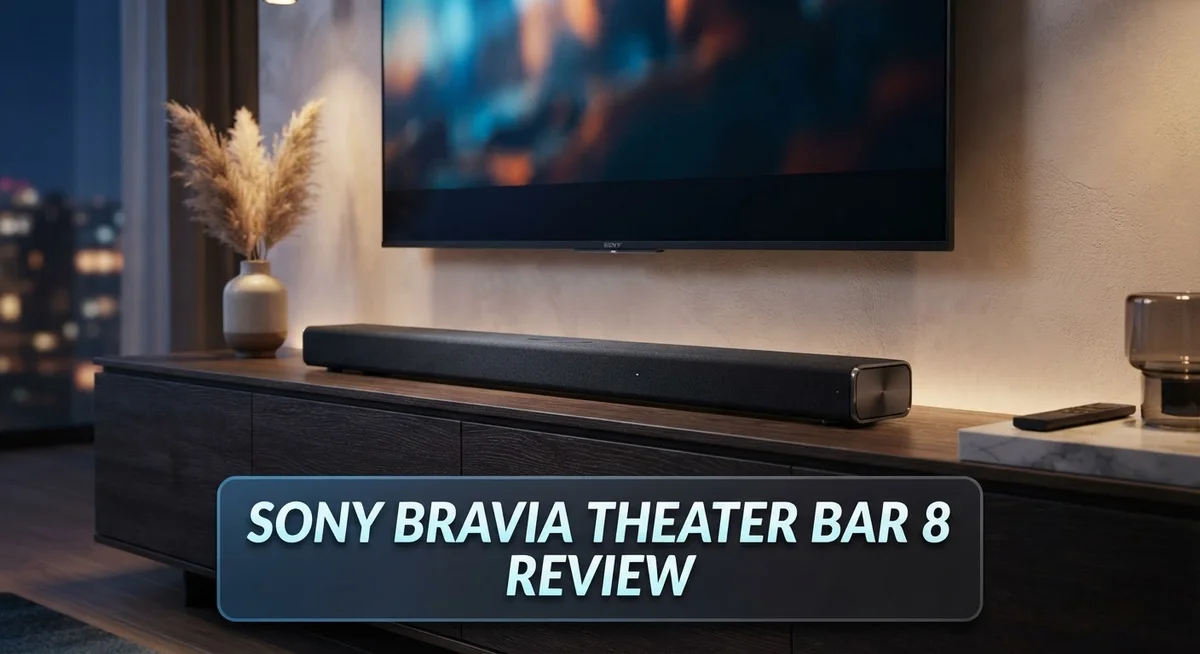
Looking for a soundbar that fills your room with rich, detailed audio? The Sony BRAVIA Theater Bar 8 might catch your eye.
This soundbar packs 11 speakers into a 5.0.2 setup. It supports Dolby Atmos, DTS:X, and IMAX sound formats.
Sony built this bar with front, side, and up-firing drivers. A dedicated center channel helps dialogue sound clear and crisp.
But does it truly deliver a theater-like experience? Many users praise its detail and sleek design. Others point out it lacks the spaciousness some competitors offer.
In this review, we break down every feature. We test the room calibration, voice mode, and surround sound quality.
You will learn if this soundbar suits your space. We also compare it to other Sony and Samsung models.
Let’s find out if the BRAVIA Theater Bar 8 earns a spot in your home theater setup.
In a Nutshell
Here’s a quick snapshot of what this soundbar offers and where it falls short.
-
Great for small to medium rooms. The Bar 8 fits cozy setups well but struggles to fill larger spaces with sound.
-
Room calibration built in. This feature adjusts audio based on your room shape for better clarity.
-
Voice mode boosts speech clarity. Dialogue stays clear even during action scenes or background noise.
-
Limited EQ and sound controls. You get fewer options to fine tune bass, treble, or surround levels.
-
Surround sound needs work. Many users report weak or inconsistent surround effects during movies.
-
Latency issues pop up sometimes. Audio may lag slightly behind video in certain content types.
-
Detail levels stay strong. Voices and effects sound crisp, even if the overall depth feels thin.
This soundbar works best for viewers who want clean audio in smaller rooms. If you crave a fuller, more spacious sound stage, you may want to check the Bar 9 or other options in Sony’s lineup.
Audio Configuration and Speaker Setup
The Sony BRAVIA Theater Bar 8 uses an 11 speaker setup spread across 5.0.2 channels. This means you get five main speakers at ear level plus two height channels firing upward. The configuration balances front, side, and up-firing drivers to create a more three-dimensional sound field.
Setting up this soundbar involves more than just placing it in front of your TV. The bar connects to your TV via HDMI eARC, which sends audio signals back to the soundbar. You can also use optical audio or Bluetooth if eARC isn’t available. Most users find the physical setup straightforward since the bar itself is compact.
Room calibration is where this soundbar shines. The system includes built in calibration that measures your space and adjusts audio output accordingly. You position the included microphone in your listening area, and the soundbar analyzes the room’s acoustics. This step matters because every room has different sound characteristics. Walls, furniture, and room size all affect how audio travels. The calibration process takes just a few minutes and makes a real difference in final sound quality.
The soundbar offers a dedicated Voice mode for speech enhancement. This setting boosts dialogue clarity, which helps when watching movies or shows with quieter dialogue. It’s useful if you struggle to hear actors speaking, though some users find it makes voices sound slightly artificial.
One limitation stands out: the sound control options are limited. You won’t find extensive EQ adjustments or tone controls. The soundbar has basic volume and mode settings, but advanced users may feel restricted. Sony prioritizes simplicity over customization here, which works for casual listeners but frustrates audio enthusiasts.
Latency can occur during setup if your TV’s audio delay settings aren’t optimized. Most modern TVs handle this automatically, but older models may need manual adjustment. Check your TV’s audio settings if you notice the soundbar’s audio drifting out of sync with on screen action.
The 5.0.2 configuration works best in small to medium sized rooms. Larger spaces may not experience the full immersive effect because sound waves struggle to fill bigger areas effectively. Room size directly impacts how well the height channels perform.

- UNLEASH THE FULL POTENTIAL OF SURROUND SOUND: Hear cinema-style surround sound all around you with...
- ROOM OPTIMIZED SOUND: Sound is auto calibrated to your room’s characteristics with Sound Field...
- SOUND STRAIGHT FROM CINEMA: Supports industry-standard formats including Dolby Atmos, DTS:X, and...

Last update on 2026-11-08 / Affiliate links / Images from Amazon Product Advertising API
Sound Quality and Spatial Audio Performance
The Sony BRAVIA Theater Bar 8 delivers impressive sound detail across most content types. The 11 speaker units work together to pull out subtle audio cues you might miss on a standard TV speaker. This clarity shines during dialogue heavy scenes and music playback.
Spatial audio is where this soundbar shows its strength. The system supports Dolby Atmos, DTS:X, and IMAX Enhanced formats. These technologies create height effects that lift sound above your listening position. The up firing drivers handle this job effectively in smaller rooms.
However, spaciousness remains a weak point. Users report that the soundbar doesn’t fill large rooms with immersive sound. The overall impact feels contained rather than expansive. If you sit far from the TV or have an open floor plan, you may notice this limitation.
The quad woofer design handles bass response adequately. Low frequency effects during action scenes come through with decent punch. That said, the bass lacks the visceral impact found in higher end systems. It won’t shake your room, but it won’t disappoint either.
Surround sound performance needs improvement. The side firing drivers don’t create convincing surround effects compared to competitors. Sounds don’t seamlessly move around you as intended. This affects immersion during intense movie scenes.
The room calibration feature helps optimize sound for your space. 360 Spatial Sound Mapping analyzes your room and adjusts audio output accordingly. This process makes a real difference in how the soundbar performs. Setup takes just a few minutes with the included microphone.
Voice mode enhances speech clarity significantly. Dialogue becomes easier to follow, especially during quiet scenes. This feature proves helpful if you watch a lot of dramas or talk shows.
One concern involves latency during certain setups. Audio sync issues can occur if your TV settings aren’t properly configured. You’ll need to adjust audio delay settings to resolve this. Once fixed, sync stays stable during regular use.
The soundbar’s audio processing feels somewhat limited. You get basic volume and mode controls, but advanced EQ adjustments aren’t available. This restricts your ability to fine tune sound to your preferences. Users seeking deeper customization options may feel frustrated here.
Overall, the BRAVIA Theater Bar 8 excels at detail and clarity but struggles with spaciousness and surround immersion.
Design, Build Quality, and Room Calibration
The Sony BRAVIA Theater Bar 8 features a sleek, minimalist design that fits naturally below most TVs. The black finish blends into any living room without drawing attention. The soundbar measures compact enough for small entertainment setups yet sturdy enough to feel premium.
Build quality stands out as a strong point. The frame uses solid materials that resist vibration during intense movie scenes. The quad woofer design sits inside a reinforced cabinet. This construction keeps unwanted rattles away even when bass frequencies hit hard.
The 11 speaker units arrange in a 5.0.2 configuration. Front channels handle dialogue and center action. Side drivers create width for surround effects. Up firing speakers bounce sound off your ceiling for Dolby Atmos and DTS:X support. This layout works best in small to medium rooms where sound can reflect naturally.
Room calibration is where this soundbar truly shines. The built in system measures your space acoustically. It adjusts speaker output to match your room’s unique characteristics. You don’t need professional help or complex manual adjustments. Just let the calibration run, and the soundbar optimizes itself automatically.
The Voice mode feature enhances speech clarity significantly. Dialogue becomes crisp and easy to follow, even during action packed scenes. This matters if you watch lots of movies or TV shows with dialogue heavy content.
One limitation affects your control options. The EQ and sound adjustment features feel limited compared to competitors. You get basic presets but lack deep customization for bass, treble, and midrange frequencies. This means you adapt to the soundbar’s sound profile rather than shape it to your preferences.
Latency can appear during initial setup if your TV’s audio delay settings aren’t optimized. This requires some troubleshooting on your end. Once configured properly, latency disappears during normal use.
The soundbar’s physical design prioritizes simplicity. Few buttons sit on top. Most controls happen through the remote or app. This clean aesthetic appeals to people who dislike cluttered electronics.
Overall, the BRAVIA Theater Bar 8 balances form with function. The build quality feels solid. Room calibration removes guesswork from setup. However, limited sound controls and latency concerns require patience during initial configuration.
Top 3 Alternatives
Samsung HW-Q990C

- SAMSUNG USA AUTHORIZED - Includes 2 Year Extended Protection Plan in ADDITION to the Included FULL...
- Feel sound all around with 11 front-facing speakers, 1 subwoofer and 4 up-firing channels | For...
- IN THE BOX: Rear Speaker Kit - HDMI Cable - Wall Mount Kit - Rubber Foot - Remote Controller with...
Last update on 2026-11-08 / Affiliate links / Images from Amazon Product Advertising API
The Samsung HW-Q990C delivers powerful surround sound for your living room. This soundbar system includes multiple speakers that fill your space with immersive audio. You get wireless rear speakers and a subwoofer included in the package.
The soundbar supports various audio formats and connects easily to your TV. Setup takes just minutes with wireless connectivity options. The system works well with Samsung TVs through direct integration, though it also pairs with other brands.
Sound quality remains crisp across movies, music, and games. The subwoofer adds depth to action scenes and music tracks. Rear speakers create a true surround experience when positioned correctly.
LG SP11RA

- [LG WOWCAST] A totally new way to wirelessly connect your TV to your LG sound bar with Dolby Atmos
- [Lossless Multi-channel Audio Streaming] Experience the power of Dolby Atmos without any wires or...
- [Simple Setup & Connection] WTP3 WOWCAST allows the user to avoid the requirement for a cable...
Last update on 2026-11-08 / Affiliate links / Images from Amazon Product Advertising API
The LG SP11RA offers a compact solution for smaller rooms and apartments. This soundbar focuses on clear dialogue and balanced audio output. The sleek design fits under most wall-mounted TVs without taking up much space.
Setup is straightforward with multiple connection options available. You can use HDMI, optical, or Bluetooth to connect your devices. The soundbar adjusts sound settings automatically based on what you’re watching.
Bass performance is moderate, suitable for casual listening rather than intense movie nights. The system handles streaming content well across all major platforms. Controls are simple and intuitive for everyday use.
Bose Smart Soundbar

- HEAR EVERY WORD WITH DIALOGUE MODE — The Bose TV Speaker's dedicated Dialogue Mode analyzes your...
- WIDE, NATURAL SOUND FROM A COMPACT DESIGN — Two angled full-range drivers create a surprisingly...
- SIMPLE ONE-CABLE SETUP WITH THREE INPUTS — Connect to your TV in minutes using the included...
Last update on 2026-11-08 / Affiliate links / Images from Amazon Product Advertising API
The Bose Smart Soundbar brings premium audio quality to any entertainment setup. This soundbar emphasizes clear vocals and detailed sound reproduction. Built-in voice assistant integration lets you control playback hands-free.
Connectivity options include Wi-Fi, Bluetooth, and traditional audio cables. The soundbar learns your preferences over time and adjusts settings accordingly. App control gives you access to advanced features from your phone.
The system works great for music streaming and podcast listening. Sound projection spreads audio across your room evenly. This soundbar suits people who value simplicity and reliability in their audio equipment.
Connectivity and Ease of Setup
Getting the Sony BRAVIA Theater Bar 8 up and running is straightforward. The soundbar connects to your TV through HDMI eARC, which handles both audio and video signals in one cable. This simplifies your setup compared to older soundbars that need multiple connections.
Wireless connectivity options include Bluetooth and WiFi. You can stream music from your phone or tablet without any wires. The WiFi connection also lets you access firmware updates automatically. This keeps your soundbar current with the latest features and improvements.
The initial setup process takes about 15 minutes. You power on the soundbar, select your TV model from the app, and let the system connect. The included remote works immediately without complicated pairing steps. Most users find this process intuitive and hassle free.
Room calibration is where this soundbar stands out during setup. The system includes a microphone that measures your room’s acoustics. It analyzes sound reflections and adjusts the audio output to match your space. This automatic tuning eliminates guesswork and ensures optimal performance from day one.
One thing to watch: latency can appear if your TV’s audio delay settings aren’t adjusted properly. This causes sound to lag slightly behind what you see on screen. The fix is simple. Go into your TV’s audio settings and enable HDMI audio return channel mode. Most users resolve this in under five minutes.
The app provides additional control over your soundbar settings. You can adjust volume, switch between sound modes, and enable Voice mode for better speech clarity. The interface is clean and easy to navigate on smartphones or tablets.
Physical placement is flexible. The soundbar fits on a TV stand or mounts on a wall. Its compact design doesn’t block your view of the screen. Cable management is minimal since you only need one HDMI connection and a power cord.
Overall, setup and connectivity work smoothly. The room calibration feature removes the guesswork from getting your soundbar sounding great. Latency issues are rare and easily fixed. The wireless options give you flexibility for streaming content from multiple devices.
Pros and Cons
Pros
- High detail levels across music, movies, and dialogue content
- Room calibration automatically optimizes sound for your specific space
- Voice mode significantly enhances speech clarity for shows and movies
- Sleek minimalist design fits naturally below most TV sizes
- Solid build quality with 11 speaker units delivering spatial audio performance
Cons
- Limited sound controls and EQ options restrict customization
- Surround sound quality feels weak compared to competitors
- Spaciousness and overall impact lack the immersion larger setups provide
- Latency can appear during setup if TV audio delay settings aren’t adjusted properly
Who Should Buy It
The Sony BRAVIA Theater Bar 8 works best for specific types of listeners. If you own a small to medium sized room, this soundbar matches your space perfectly. The 11 speaker units deliver spatial audio without overwhelming compact areas.
Movie enthusiasts will appreciate the Dolby Atmos and DTS:X support. These formats bring films to life with overhead sound effects. You’ll notice rain falling above you or helicopters flying overhead. The 360 Spatial Sound Mapping creates an immersive experience for cinematic content.
Speech clarity matters to you? The Voice mode feature enhances dialogue significantly. Shows, documentaries, and podcasts sound crisp and easy to understand. This feature alone makes the soundbar valuable for dialogue heavy content.
Casual listeners should consider their expectations carefully. This soundbar shines with detail and clarity. However, it doesn’t deliver the spaciousness or impact that larger setups provide. If you want room filling sound that feels expansive, look at the Sony BRAVIA Theater Bar 9 instead.
The room calibration feature appeals to those who want automatic optimization. You don’t need to manually adjust settings. The soundbar learns your space and adapts automatically. This removes guesswork from audio setup.
You should skip this model if you need extensive sound controls. The limited EQ options restrict customization. If tweaking bass, treble, and surround levels matters to you, this soundbar frustrates more than satisfies. The Samsung 990D or JBL options offer more control flexibility.
Surround sound enthusiasts may feel disappointed. User reports indicate weak surround performance compared to competitors. If immersive surround effects drive your purchase decision, explore other alternatives first.
Latency sensitive users should know about potential audio delay issues. Setup requires proper TV audio delay configuration. Once optimized, latency disappears. This isn’t a dealbreaker, just something requiring attention during installation.
The BRAVIA Theater Bar 8 targets viewers who value simplicity, design, and dialogue clarity. It excels in small to medium rooms with straightforward audio needs. You’ll love it if you appreciate clean aesthetics and automatic room calibration. However, if surround immersion or extensive customization drives your choice, different soundbars serve you better.
Final Verdict
The Sony BRAVIA Theater Bar 8 delivers a strong mix of clarity and convenience. It suits anyone who wants clean audio without a complicated setup process.
This soundbar shines brightest for TV shows, dialogue heavy content, and everyday music listening. The detail level stays consistent across genres.
However, this model has clear limits. If you crave a cinema like surround experience, this bar may leave you wanting more.
Compared to the Sony BRAVIA Theater Bar 9, this model works better in smaller spaces. The Bar 9 offers a wider soundstage for bigger rooms.
Against the Sony HT-A7000, the Bar 8 holds its own on detail but falls short on immersive depth. Both share similar limitations around sound customization.
Samsung’s 990D and 930D models often edge ahead in surround presence. These alternatives handle wide open soundscapes with more confidence.
The JBL 800 Dolby Atmos setup brings a different flavor entirely. JBL leans into raw power, while Sony focuses on precision and clarity.
So who should buy the Sony BRAVIA Theater Bar 8? Anyone prioritizing dialogue clarity and simple setup will enjoy this soundbar daily.
Families watching shows together will notice the voice enhancement feature right away. Conversations stay crisp even during busy scenes.
Music lovers who prefer detail over bass heavy output will also appreciate this bar. It handles vocals and instruments with a clean touch.
Skip this option if surround immersion tops your priority list. The lack of spaciousness becomes noticeable during action packed movies.
Gamers or enthusiasts wanting deep EQ control should also look elsewhere. This bar keeps customization minimal by design.
Overall, the Sony BRAVIA Theater Bar 8 earns its place among solid mid tier soundbars. It fits smaller rooms and casual entertainment setups well.
This model won’t replace a full home theater system. But for everyday viewing and listening, it gets the job done reliably.
Think about your room size and viewing habits first. That answer will tell you if this soundbar fits your needs.
Frequently Asked Questions
Does the Sony BRAVIA Theater Bar 8 work with all TV brands?
Yes, this soundbar connects to any TV via HDMI eARC or optical audio. You’ll get the best results with Sony TVs because the setup is seamless. Other brands work fine too. Just make sure your TV supports eARC for the full experience with Dolby Atmos and DTS:X.
How much space do I need for this soundbar?
The Bar 8 fits best in small to medium rooms. It sits nicely below most TVs without taking up much space. If you have a large living room, you might feel the sound lacks the spaciousness you want. For apartments or bedrooms, this soundbar delivers solid performance.
Can I add a subwoofer or rear speakers later?
The Bar 8 does not support wireless expansion. You cannot add a separate subwoofer or rear speakers to this model. If you want a full surround system, consider the Sony BRAVIA Theater Bar 9 instead. That model opens up more customization options for growing your setup.
What’s the difference between this and the Sony HT-A7000?
Both soundbars handle spatial audio well. The HT-A7000 delivers more immersive depth for larger rooms. The Bar 8 focuses on clarity and detail. Choose the Bar 8 if you prioritize dialogue and speech. Pick the HT-A7000 if you want bigger, more enveloping sound.
Is room calibration automatic or manual?
Room calibration happens automatically. The soundbar measures your space and adjusts sound output on its own. You don’t need to do anything. This feature saves time and ensures optimal performance without complicated setup steps.

DK is a tech enthusiast and product reviewer dedicated to helping readers explore the ever-evolving world of technology. With a passion for testing gadgets, apps, and appliances, DK delivers honest, in-depth reviews and practical buying guides to make your tech decisions easier.